From Blog Posts to LinkedIn Thought Leadership with Late API
From Blog Posts to LinkedIn Thought Leadership with Late API
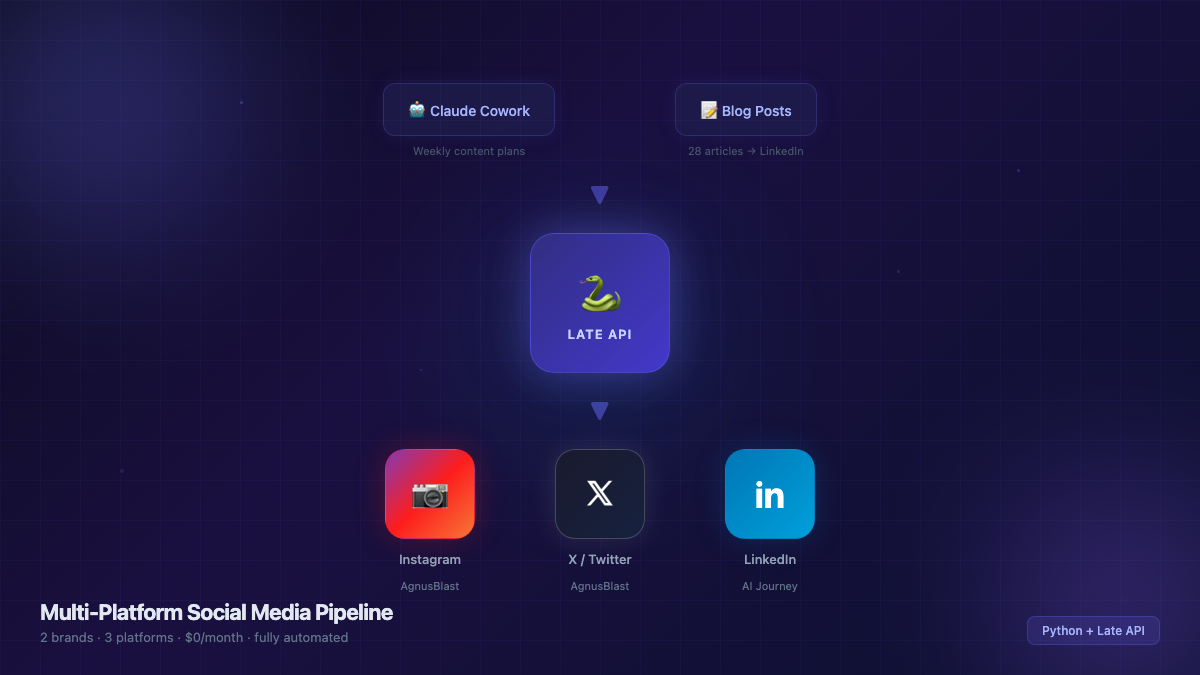
I had 28 blog posts sitting on my portfolio site. Good content — deep dives on AI agents, tool reviews, architecture patterns, debugging war stories. But they were only reaching people who happened to visit the site.
LinkedIn was the obvious distribution channel. The audience is there — PMs, TPMs, engineers who'd actually find this useful. But reformatting blog posts into LinkedIn-native content and manually posting 4x/week? That's exactly the kind of repetitive work I'd been automating away.
So I built a pipeline: take existing blog posts, transform them into LinkedIn thought leadership, and schedule them automatically via Late API. Zero manual posting, zero monthly cost.
Why Repurposing Beats Creating from Scratch
The instinct is to write fresh content for each platform. I tried that first with my other project (AgnusBlast, where I automated Instagram and X/Twitter posting). It works, but it's slow — even with AI generating the content plans, you still need to review, edit, and approve each post.
Repurposing flips the equation:
- The research is already done (you wrote the blog post)
- The insights are battle-tested (you actually built the thing)
- The structure exists (you just need to reformat, not rethink)
- Quality is higher (distilled from 1500 words into 300)
The 28 blog posts I'd already written became a content library. Each one contains 2-3 standalone insights that work as LinkedIn posts. That's 50-80 potential posts from content that already exists.
The Content Transformation Pattern
A blog post and a LinkedIn post serve different purposes. Blog posts explain how. LinkedIn posts argue why — then invite discussion.
Here's the pattern I settled on after testing different formats:
1. Hook (1-2 lines)
Open with a concrete, surprising statement. Not "I wrote a blog post about..." — that's a link share, not thought leadership.
Blog opening:
"This post covers how I built a TPM agent ecosystem using Claude Code, MCP servers, and custom skills..."
LinkedIn hook:
"I replaced 6 hours of weekly TPM busywork with AI agents."
The hook should make someone stop scrolling. Specificity wins — numbers, timeframes, unexpected outcomes.
2. Story (2-3 short paragraphs)
The what and why. Keep paragraphs to 2-3 sentences max. LinkedIn's algorithm rewards readability, and most people are reading on mobile.
3. Listicle (bullet points)
Actionable takeaways using arrow bullets (→). This is where the blog post's depth gets distilled into scannable insights:
→ Start with one tool and go deep, not wide
→ Custom skills > generic prompts
→ MCP servers turn AI from a chatbot into an operating system
4. CTA (closing question)
End with a question that invites the reader to share their experience. Not "What do you think?" — too generic. Make it specific to the topic:
"Which PM task do you wish AI could handle for you?"
5. Hashtags
Always #AIJourney #BuildWithAI plus 3 pillar-specific tags. LinkedIn's algorithm uses hashtags for topic classification, but more than 5 hurts reach.
The Four-Pillar Strategy
Not every blog post maps to the same audience. I organized the content into 4 pillars, each targeting a different slice of my LinkedIn network:
| Pillar | Day | Time (PT) | Target Audience |
|---|---|---|---|
| AI Agents & Architecture | Tuesday | 8:00 AM | Engineers, architects |
| Tools & Honest Reviews | Wednesday | 5:00 PM | Builders, early adopters |
| AI for PMs/TPMs | Thursday | 8:00 AM | Product & program managers |
| Lessons & Frameworks | Friday | 5:00 PM | Leaders, decision-makers |
The posting times aren't random — Tuesday and Thursday mornings catch the "coffee + LinkedIn" crowd, while Wednesday and Friday afternoons hit the "winding down, browsing feed" window.
Each pillar gets its own hashtag set:
HASHTAGS = {
    "agents":  "#AIJourney #BuildWithAI #AIAgents #AIArchitecture #Automation",
    "tools":   "#AIJourney #BuildWithAI #AITools #ClaudeAI #DevTools",
    "pm":      "#AIJourney #BuildWithAI #ProductManagement #TPM #AIForPMs",
    "lessons": "#AIJourney #BuildWithAI #LessonsLearned #PromptEngineering #TechLeadership",
}
The Scheduling Script
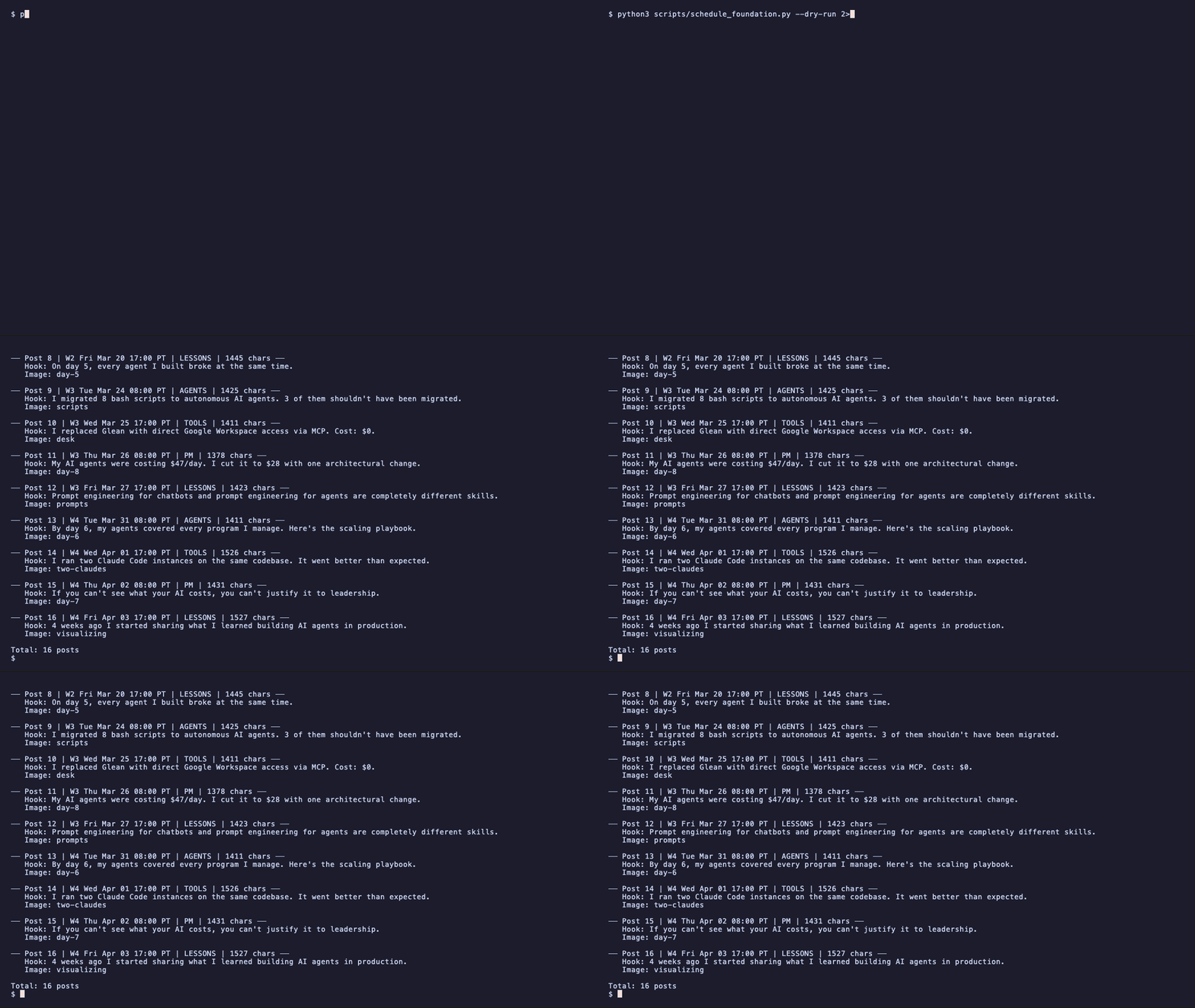
The foundation script pre-loads 16 posts (4 weeks × 4 pillars) with the blog-to-LinkedIn transformations already applied. Each post maps to a blog hero image hosted on Vercel — the same images that appear on the blog listing page, so zero extra asset work.
SITE = "https://ai-journey-ten.vercel.app/images/blog"
IMAGES = {
    "day-1": f"{SITE}/day-1-zero-to-35-skills.png",
    "tools": f"{SITE}/ai-tools-landscape-for-tpms.png",
    "mcp":   f"{SITE}/mcp-protocol-deep-dive.png",
    # ... 13 more
}
The Late API integration is simple — one POST /api/v1/posts call per post:
def schedule_post(content, scheduled_for, image_url):
    body = {
        "platforms": [{"platform": "linkedin", "accountId": ACCOUNT_ID}],
        "content": content,
        "scheduledFor": scheduled_for,  # ISO 8601
        "timezone": "America/Los_Angeles",
    }
    if image_url:
        body["mediaItems"] = [{"type": "image", "url": image_url}]
    return requests.post(f"{API_BASE}/posts", headers=headers, json=body)
The script supports --dry-run to preview everything before committing, --week N to schedule one week at a time, and --delete-all to clear and reschedule.
python3 schedule_foundation.py --dry-run    # Preview all 16 posts
python3 schedule_foundation.py --week 1     # Schedule week 1 only
python3 schedule_foundation.py              # Schedule all 4 weeks
Image Strategy: Zero Extra Work
Every blog post on my site already has a hero image at /images/blog/{slug}.png. The LinkedIn scheduler just points to those same URLs. No resizing, no reformatting, no separate asset pipeline.
LinkedIn renders images well in the feed, and having a visual that matches the blog post creates a consistent brand when someone clicks through to read the full article.
Late API Free Plan: What You Get
Late API's free tier gives you 20 scheduled posts per month per account. At 4 posts/week (16/month), that fits comfortably within the limit.
Key operational details:
- The count is based on active scheduled posts, not total API calls — deleting a post frees up a slot
- Rate limiting returns 429 — the script handles this with a 60-second retry
- Posts need to be scheduled at least 10 minutes in the future
What's Next
The foundation content (16 posts over 4 weeks) establishes the posting cadence. After that, the plan is:
- Measure what works — which pillar drives the most engagement? Which posting time performs best?
- Automate the next batch — use engagement data to prioritize which blog posts to repurpose next
- Close the loop — link LinkedIn posts back to the full blog articles, driving traffic to the portfolio site
The meta-insight: the hardest part of content marketing isn't creating content — it's distributing content you've already created. A simple Python script and a free API turned a static blog into an active LinkedIn presence.
Key Takeaways
- Repurpose first, create second — existing blog posts are an untapped content library for LinkedIn
- Transform, don't just share — a LinkedIn post should hook and argue, not summarize and link
- Structure beats inspiration — 4 pillars × 4 days/week removes the "what should I post?" friction
- Reuse existing assets — blog hero images work perfectly as LinkedIn post images
- Late API's free tier is enough — 20 posts/month covers a consistent 4x/week cadence at $0