Building an AI Product Identifier for a Luxury Reseller
Building an AI Product Identifier for a Luxury Reseller
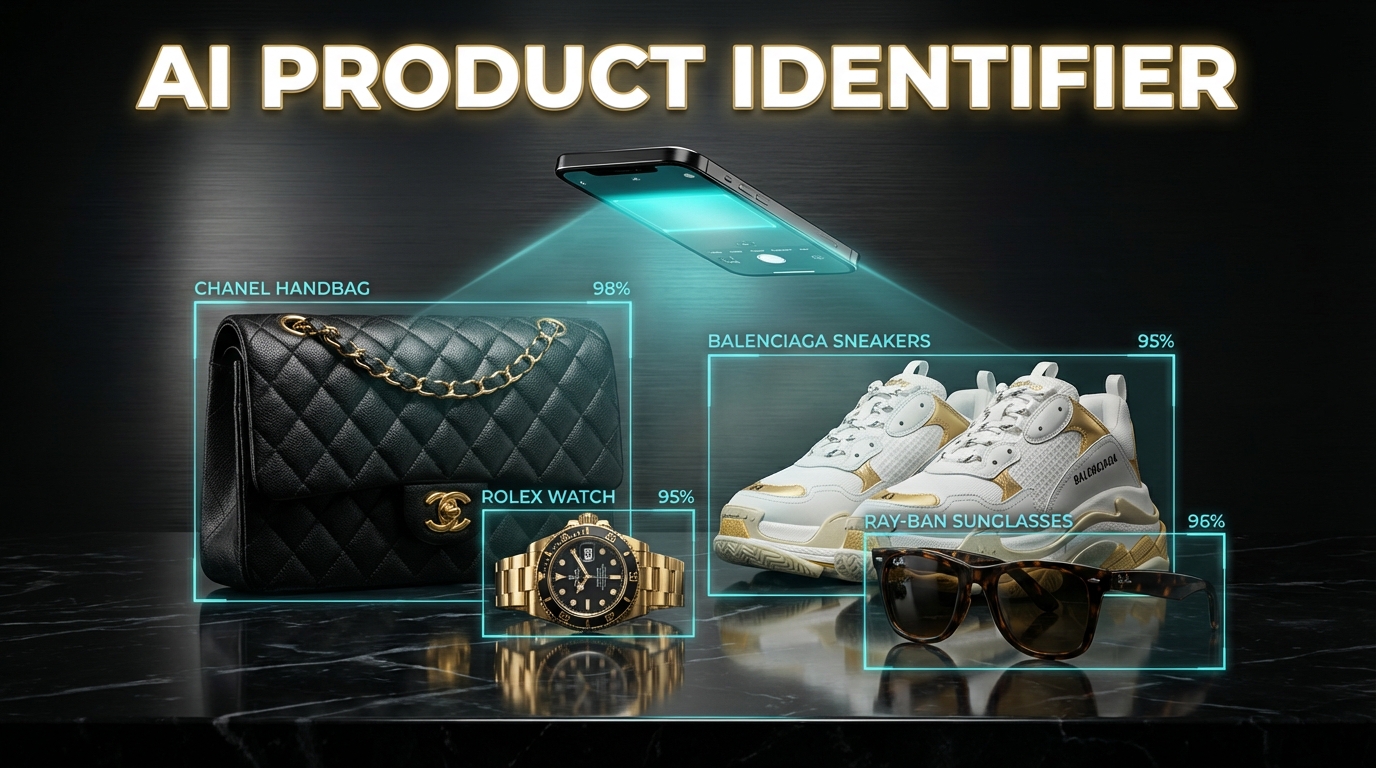
Sometimes the best AI projects come from the most unexpected places.
A family friend runs iLuxury, a luxury goods resale business. Their workflow was entirely manual: receive consignment items, photograph each one with a sticky note showing client info and price, then manually type everything into a spreadsheet — brand name, model, material, description, customer info — for inventory tracking and tax export documentation.
For a business processing dozens of items daily, this was slow, error-prone, and tedious. The perfect candidate for AI automation.
The Problem
Every consignment item arrives with a photo showing the item alongside a handwritten sticky note with:
- Client name and ID
- Price (in HKD)
- Date received
The reseller needs to:
- Identify the brand (Chanel, Louis Vuitton, Hermès, etc.)
- Identify the specific model
- Describe the material and condition
- Extract the client info from the sticky note
- Log everything into a Google Sheet for inventory and tax export
Doing this manually for each item takes 3–5 minutes. Multiply by 50+ items per week, and you've got a full-time data entry job.
Version 1: The n8n Chatbot
The first version was an n8n workflow with a chat interface.
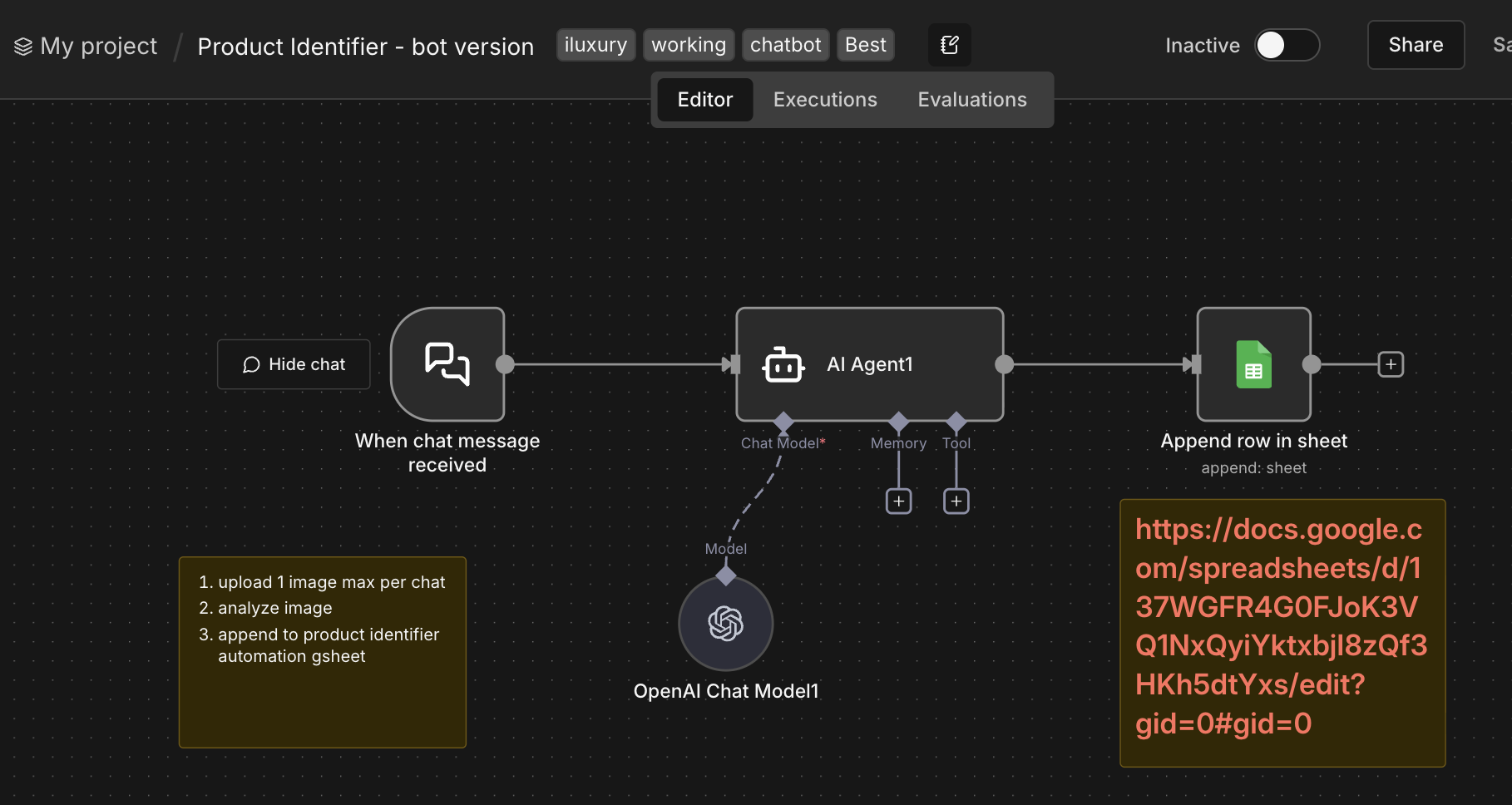
How it works:
- User sends a photo via the chat interface (one image per message)
- An AI Agent powered by OpenAI's vision model analyzes the image
- The agent extracts: brand, model, material, description, client info, and price from both the item and the sticky note
- Results are automatically appended to a Google Sheet
Simple, effective, and it works. But it had limitations — one image at a time, chat-based (not ideal for batch processing), and required n8n to be running.
Version 2: The Lovable Web App
For a more polished experience, I built LuxeVintage Image Analyzer using Lovable — a full web application with drag-and-drop batch uploads.
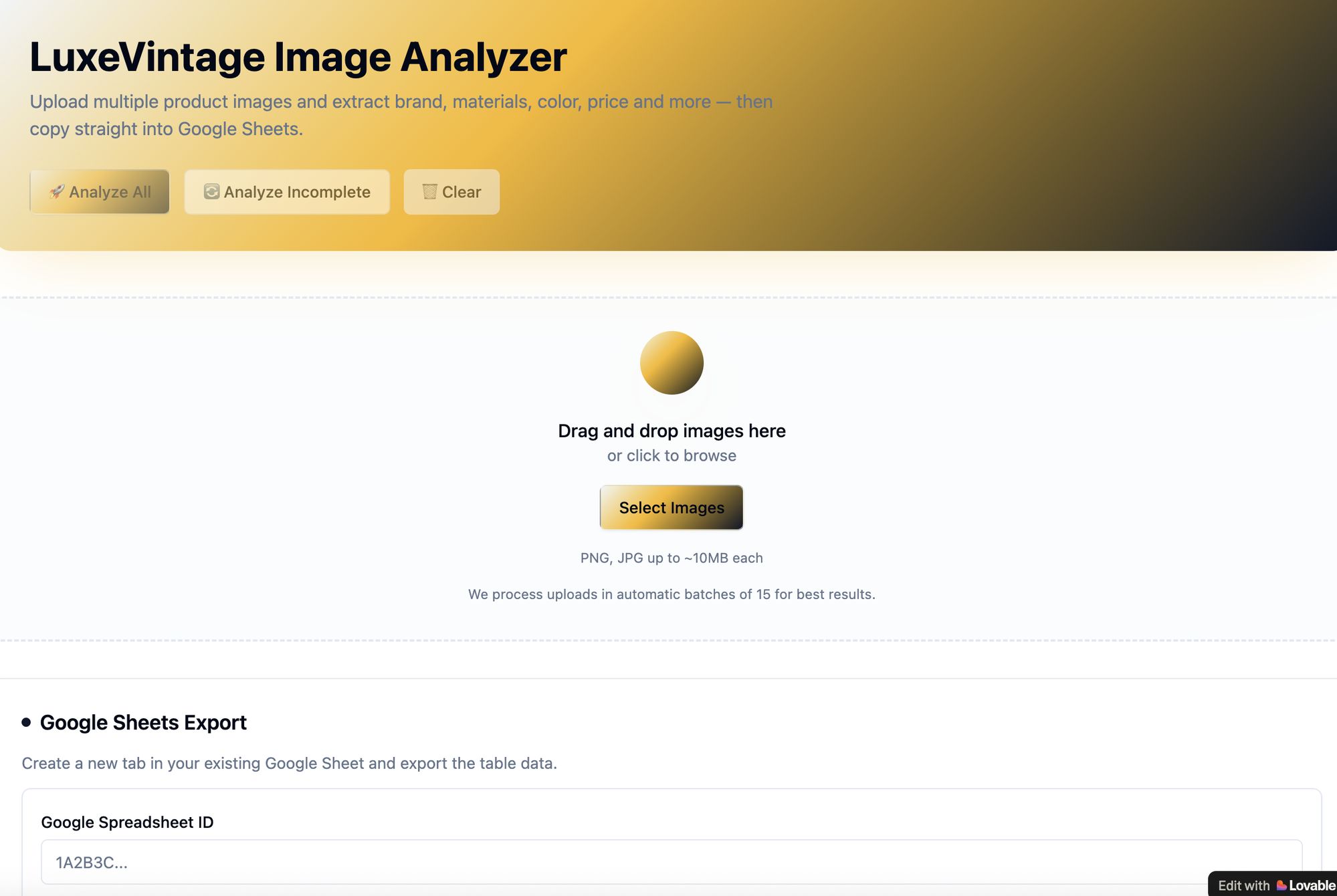
Key features:
- Batch upload: Drag and drop up to 15 images at once
- AI-powered analysis: Each image is analyzed for brand, model, material, color, and price
- Editable results: Click any cell to correct before exporting
- Google Sheets export: Create a new tab in any Google Sheet and export the full table
- CSV/TSV export: Copy directly for spreadsheet paste
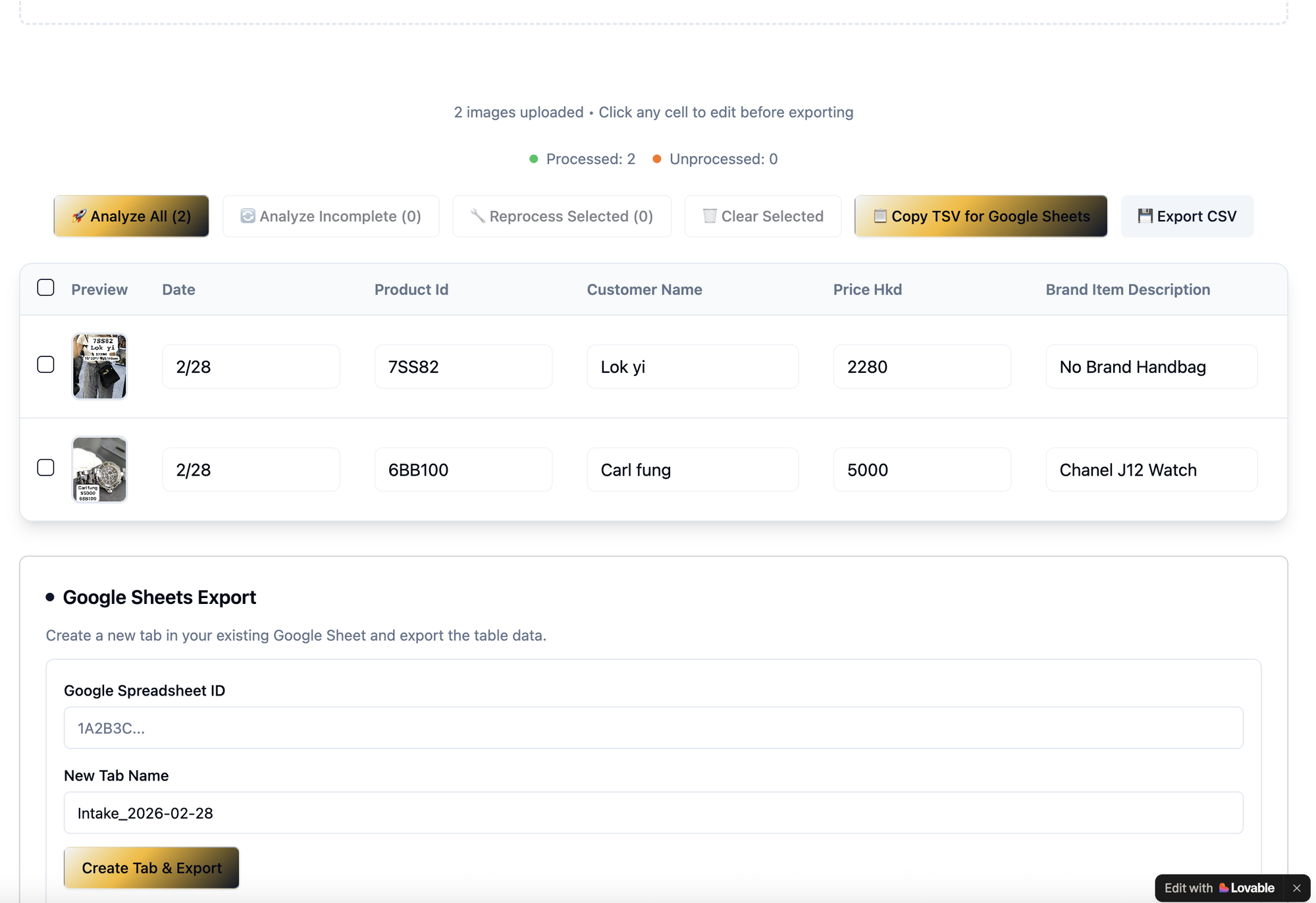
The table extracts: Date, Product ID, Customer Name, Price (HKD), and Brand Item Description. It correctly identified a "Chanel J12 Watch" at HKD 5,000 and a handbag at HKD 2,280 — all from photos of items with sticky notes.
Why Two Versions?
Each version serves a different use case:
| n8n Bot | Lovable Web App | |
|---|---|---|
| Best for | Quick single-item lookups | Batch processing intake days |
| Interface | Chat | Drag-and-drop web UI |
| Batch size | 1 image per message | Up to 15 images |
| Export | Auto-append to sheet | Manual export with editing |
| Hosting | Self-hosted n8n | Lovable cloud |
The n8n bot is great for the shop floor — snap a photo, get instant identification. The web app is better for end-of-day batch processing when they need to log 20–30 items at once.
Real-World Impact
What used to take 3–5 minutes per item now takes seconds. For a batch of 15 items, the total processing time dropped from ~60 minutes of manual data entry to about 2 minutes of drag-drop-export.
More importantly, the accuracy improved. AI vision models are remarkably good at identifying luxury brands and models — often catching details that manual entry would miss or abbreviate.
Lessons Learned
- Start with the simplest version: The n8n bot took an afternoon to build and validated the concept before investing in a web app
- AI vision is production-ready for product identification: OpenAI's vision models handle luxury goods identification with high accuracy
- Lovable is ideal for data-tool UIs: The drag-and-drop interface, editable tables, and Google Sheets integration came together quickly
- Build for the user's workflow: The reseller doesn't care about the AI — they care about faster data entry and accurate export docs
- Two tools > one perfect tool: Rather than trying to build one app that does everything, two focused tools cover more use cases
Bonus: The iLuxury Website
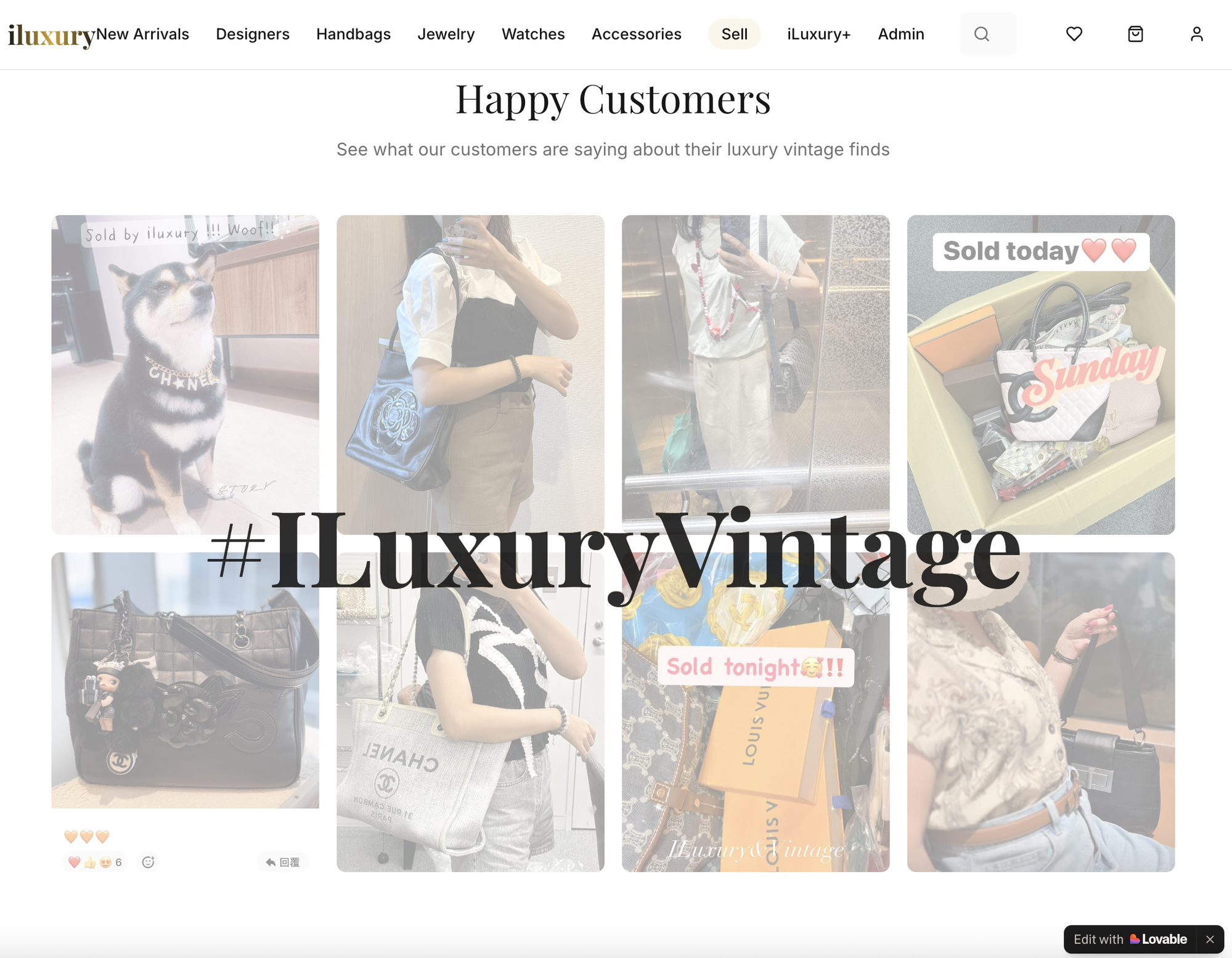
Beyond the back-office tools, I also built the customer-facing website for iLuxury using Lovable — a full e-commerce storefront with product catalog, designer filtering, customer testimonials, and a consignment submission flow.
Try it live:
The website, the n8n chatbot, and the LuxeVintage analyzer form a complete technology stack for the business — from customer-facing sales to back-office inventory processing to tax export documentation. All built with AI-assisted vibe coding.