Building an SSH Portfolio with Go and Charmbracelet
Building an SSH Portfolio with Go and Charmbracelet
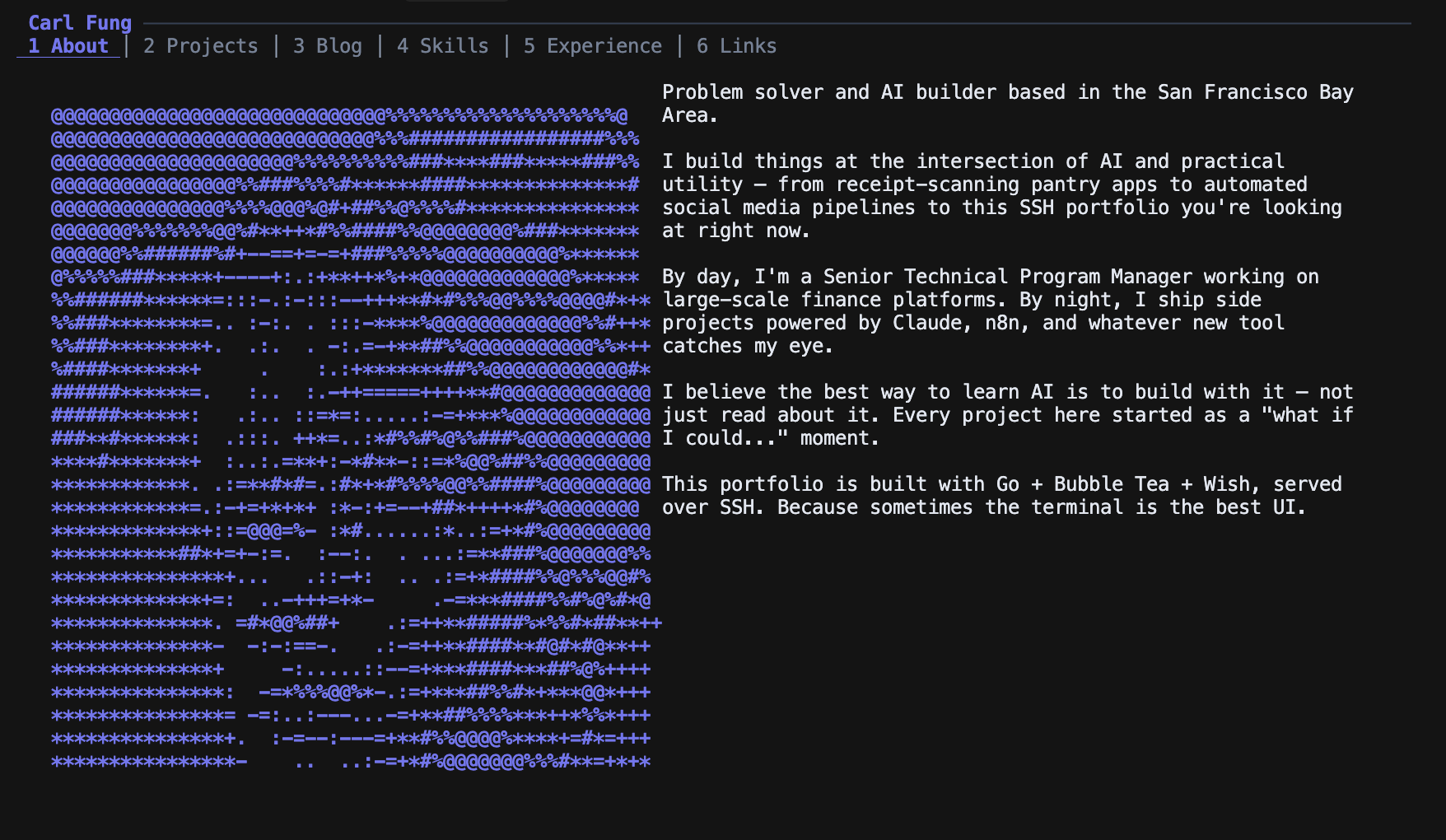
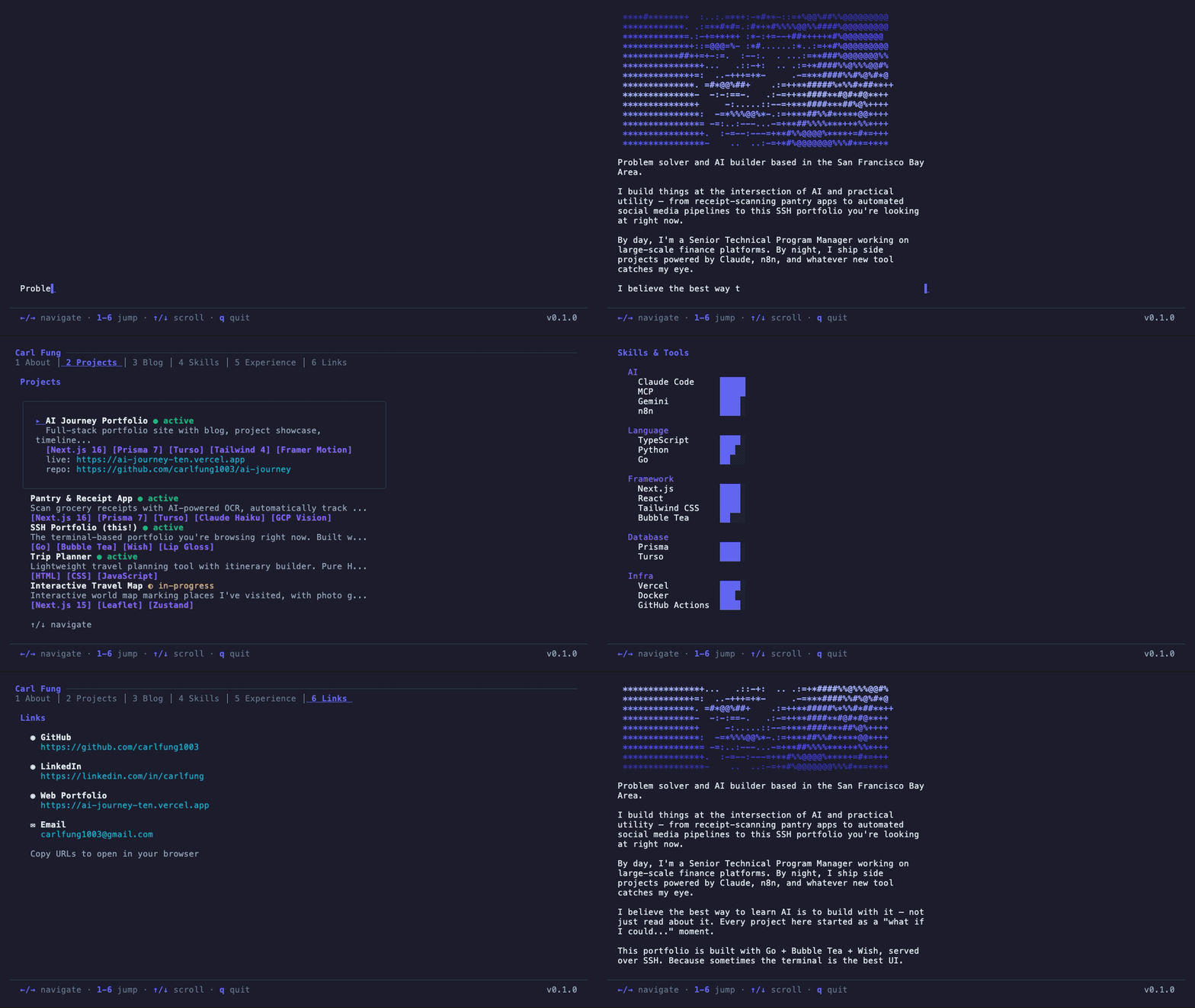
What if someone could see your portfolio by just typing ssh carl-fung.fly.dev into their terminal?
No browser. No JavaScript. No loading spinners. Just a terminal UI that feels like a native app — with page navigation, a typing animation, scrollable blog posts, and ASCII art.
I built this in a weekend using Go and the Charmbracelet ecosystem, and it's now live on Fly.io for anyone to SSH into.
Why a Terminal Portfolio?
Mostly because it's fun. But there's a real argument: developers spend most of their day in a terminal. An SSH portfolio meets them where they already are. It's also a conversation starter — "just SSH into my portfolio" hits differently than sharing a URL.
Plus, I wanted to learn Go beyond "hello world" and the Charmbracelet libraries looked like the perfect excuse.
The Stack
The entire app is built on four Charmbracelet libraries:
| Library | Purpose |
|---|---|
| Bubble Tea | TUI framework — Elm Architecture (Model/Update/View) |
| Wish | SSH server middleware — no OpenSSH binary needed |
| Lip Gloss | CSS-like terminal styling (colors, borders, padding) |
| Glamour | Markdown → ANSI rendering for blog posts |
Everything compiles to a single static Go binary. No database, no config files, no runtime dependencies. The content (markdown, JSON) is embedded into the binary via Go's embed.FS.
The Architecture: Elm in the Terminal
Bubble Tea implements the Elm Architecture — the same pattern that powers Elm, Redux, and SwiftUI:
Model → View() → terminal output
  ↑                    |
  └─── Update(msg) ←───┘
- Model holds all state (active page, cursor positions, animation frame)
- View() renders state to a string (ANSI-formatted text)
- Update(msg) is a pure function that returns new state + commands
Each page is its own mini Bubble Tea model with its own Update/View cycle. The top-level app model delegates to the active page:
func (m Model) Update(msg tea.Msg) (tea.Model, tea.Cmd) {
    switch msg := msg.(type) {
    case tea.KeyMsg:
        switch msg.String() {
        case "right", "l", "tab":
            m.activePage = (m.activePage + 1) % 6
        case "left", "h", "shift+tab":
            m.activePage = (m.activePage + 5) % 6
        case "1","2","3","4","5","6":
            m.activePage = int(msg.String()[0] - '1')
        }
    }
    // Delegate to active page
    return m.pages[m.activePage].Update(msg)
}
Navigation works with arrow keys, h/l vim bindings, Tab/Shift-Tab, or number keys 1-6 to jump directly.
Six Pages, 1,255 Lines of Go
About — Typing Animation + ASCII Art
The ASCII art was generated from a portrait photo using asciiart.website:
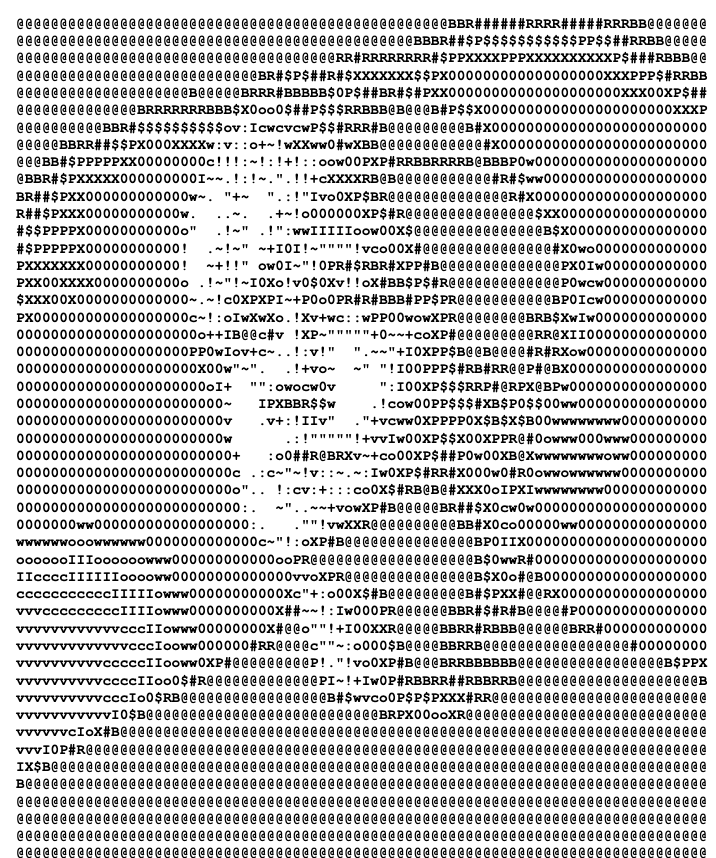
The About page has a 30-line ASCII art portrait on the left and a bio that types itself out character by character on the right. The animation runs at 25ms intervals, revealing 2 characters per tick — fast enough to feel snappy, slow enough to be readable.
func typingTick() tea.Cmd {
    return tea.Tick(25*time.Millisecond, func(t time.Time) tea.Msg {
        return TypingTickMsg{}
    })
}
Any keypress skips to the full text. The animation pauses when you leave the page and resumes when you come back — a small detail that makes it feel polished.
The ASCII art itself is animated too. On first visit, it draws line-by-line from top to bottom (3 lines per 120ms tick), giving a "rendering" effect. Once fully revealed, a 16-color indigo gradient wave continuously sweeps through the art — each line is colored based on its position plus a frame counter, creating a smooth moving pulse:
// Color based on line position + frame for moving gradient wave
colorIdx := (i + m.artFrame) % len(artGradient)
color := artGradient[colorIdx]
styled := lipgloss.NewStyle().
    Foreground(color).
    Bold(true).
    Render(m.artLines[i])
The gradient palette ranges from deep indigo (#3730A3) through the primary indigo (#6366F1) to a light periwinkle (#A5B4FC) and back, making the portrait feel alive without being distracting.
Projects — Expandable Cards
A scrollable list where each project shows title, status badge, and tags. Hovering the cursor expands the card to show live URL and repo link. The expand/collapse effect is just conditional rendering in View() — no animation library needed.
Blog — Markdown Reader
The blog page has two modes: list view and reading mode. Select a post and press Enter to read it. Glamour renders the markdown with syntax highlighting into ANSI text, and a simple viewport handles scrolling with a scroll percentage indicator.
rendered, _ := glamour.RenderWithEnvironmentConfig(post.Content)
Reading mode locks app-wide navigation — you can't accidentally arrow-key away from a post. Esc or Backspace exits back to the list.
Skills — Proficiency Bars
A visual skill inventory with filled/empty block characters:
Claude Code  █████
MCP          █████
TypeScript   ████░
Go           ██░░░
Experience — Vertical Timeline
Work and education entries connected by │ pipes with ● dots for jobs and ◆ diamonds for education. Color-coded by entry type.
Links — Simple Contact List
Icons + labels + URLs. Straightforward.
Making It SSH-Accessible with Wish
Wish turns any Bubble Tea app into an SSH server with minimal code:
s, _ := wish.NewServer(
    wish.WithAddress(fmt.Sprintf("%s:%s", host, port)),
    wish.WithHostKeyPath(hostKey),
    wish.WithMiddleware(
        bm.Middleware(handler),
        activeterm.Middleware(),
        lm.Middleware(),
    ),
)
The handler function receives each SSH session and returns a Bubble Tea model:
func handler(sess ssh.Session) (tea.Model, []tea.ProgramOption) {
    pty, _, _ := sess.Pty()
    return app.NewModel(data, pty.Window.Width, pty.Window.Height),
           []tea.ProgramOption{tea.WithAltScreen()}
}
PTY dimensions from the SSH session get passed to the app so it can lay out content for the user's terminal size.
The app runs in dual mode: ./ssh-portfolio for local TUI, ./ssh-portfolio --serve for SSH server. Same code, same experience.
Deploying to Fly.io
The Dockerfile is a simple multi-stage build:
FROM golang:1.25-alpine AS builder
RUN CGO_ENABLED=0 go build -o ssh-portfolio

FROM alpine:3.21
COPY --from=builder /app/ssh-portfolio .
EXPOSE 2222
CGO_ENABLED=0 produces a static binary that runs on Alpine without glibc — keeping the image tiny.
Fly.io maps external port 22 (standard SSH) to internal port 2222. A persistent volume at /data/ssh stores the ed25519 host key so users don't get "host key changed" warnings across deploys.
[mounts]
  source = "ssh_host_keys"
  destination = "/data/ssh"
An entrypoint script generates the host key on first boot if it doesn't exist. After that, it persists forever.
Deploy is one command: flyctl deploy.
The Gotchas
Glamour's AutoStyle Corrupts Input
Glamour's WithAutoStyle() option sends terminal escape sequences to detect capabilities. Over SSH, these sequences leak into the input stream and corrupt keyboard handling. The fix: use WithStylePath("dark") to specify the style explicitly.
This took hours to debug because the corruption was intermittent — it only happened when Glamour rendered markdown while the user was navigating.
Colors Vanish Over SSH
Lip Gloss auto-detects terminal color support locally, but over SSH it can't see the client's terminal capabilities. Everything renders in monochrome.
The fix: force TrueColor when running in server mode:
lipgloss.SetColorProfile(termenv.TrueColor)
Most modern terminals support TrueColor, so this is safe. The alternative — negotiating capabilities via TERM environment variable — is fragile and not worth the complexity.
Bubble Tea v1 vs v2
Wish v1 requires Bubble Tea v1. Bubble Tea v2 moved to a new charm.land vanity import path and isn't compatible with Wish v1's middleware. If you see import errors mentioning charm.land, you've mixed versions. Stick with v1 for both.
Typing Animation Didn't Start on SSH Connect
The About page animation needs SetActive(true) called during Init() to kick off the first tick. In local mode this happened automatically. Over SSH, the Init sequence runs differently — the animation just sat there, cursor blinking, nothing typing. Fixed by explicitly triggering the first tick in the model constructor.
The Numbers
| Metric | Value |
|---|---|
| Total Go code | 1,255 lines across 10 files |
| Dependencies | 12 direct, ~40 transitive |
| Binary size | ~15 MB (static, no CGO) |
| Docker image | ~25 MB (Alpine base) |
| Pages | 6 (About, Projects, Blog, Skills, Experience, Links) |
| Build time | ~10 seconds |
| Deploy time | ~30 seconds (Fly.io) |
| Monthly cost | ~$2 (Fly.io dedicated IPv4) |
Key Takeaways
- Bubble Tea's Elm Architecture scales well — 6 pages with independent state, navigation, and rendering, all cleanly separated
- embed.FS is underrated — compiling content into the binary means zero runtime dependencies and trivial deployment
- SSH as a UI transport works — Wish makes it almost trivial to serve a TUI over SSH, and the experience is surprisingly smooth
- Charmbracelet's ecosystem is cohesive — Bubble Tea, Lip Gloss, Glamour, and Wish all work together without friction
- The gotchas are all SSH-specific — local TUI development is smooth; SSH introduces color detection, input corruption, and initialization timing issues that need explicit fixes
Try it: ssh carl-fung.fly.dev