Galaxy of Art: Browsing Art History as a Zoomable Starfield
Galaxy of Art: Browsing Art History as a Zoomable Starfield
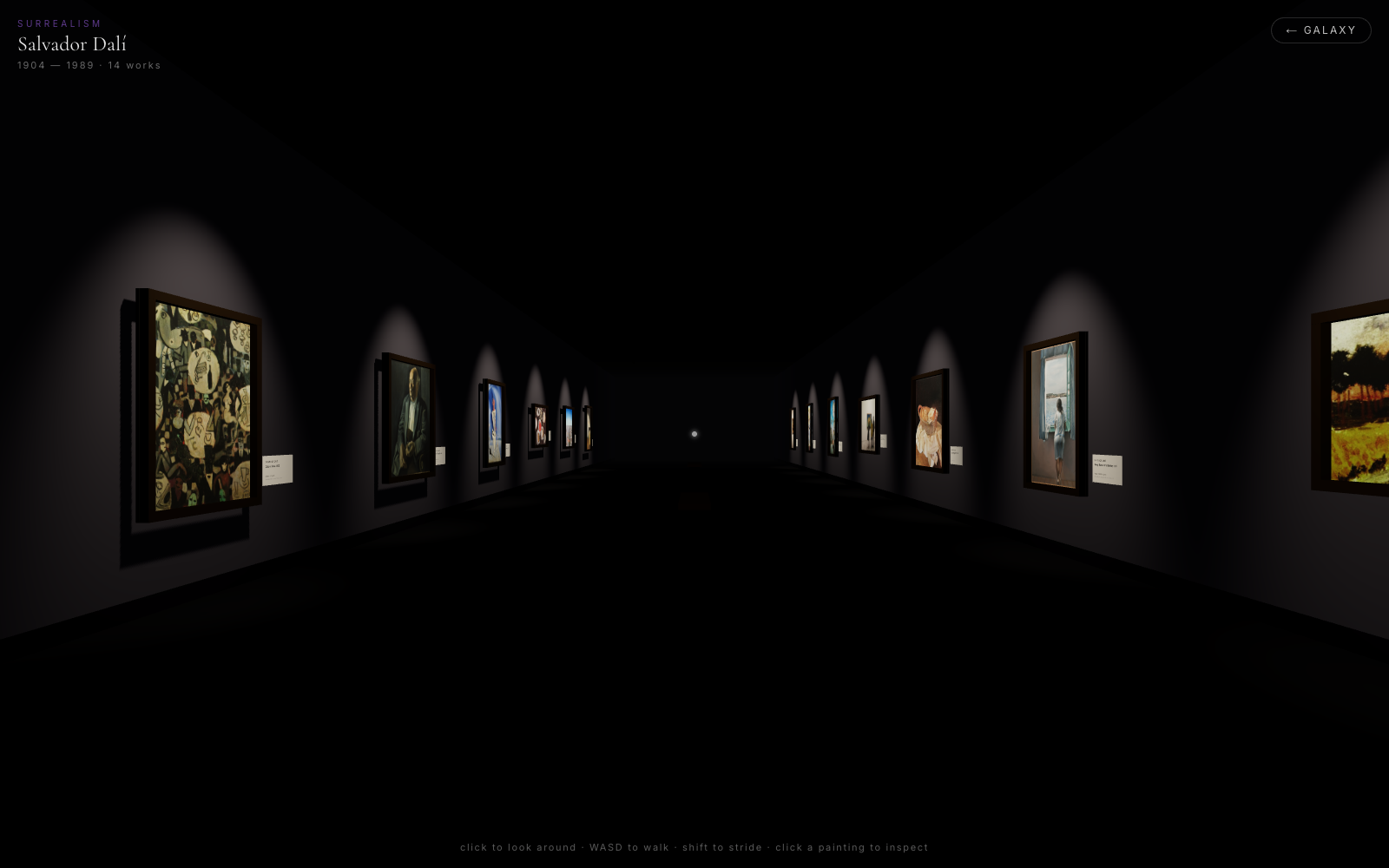
Most timelines of art history are a horizontal bar with some dates on it. Fine, but it never made me feel the gap between the Renaissance and last Tuesday. So I built the version I wanted: art history as a galaxy you fly through. Periods are nebulae. Artists are stars. Zoom into a nebula and it dissolves into the people who made it. Click a star and you walk into that artist's gallery and stand in front of their actual paintings.
It's live at art.carlfung.dev. 16 periods, 71 artists, 957 paintings — and not one fact in it is AI-generated. Here's how it's built and what fought back.
The galaxy timeline
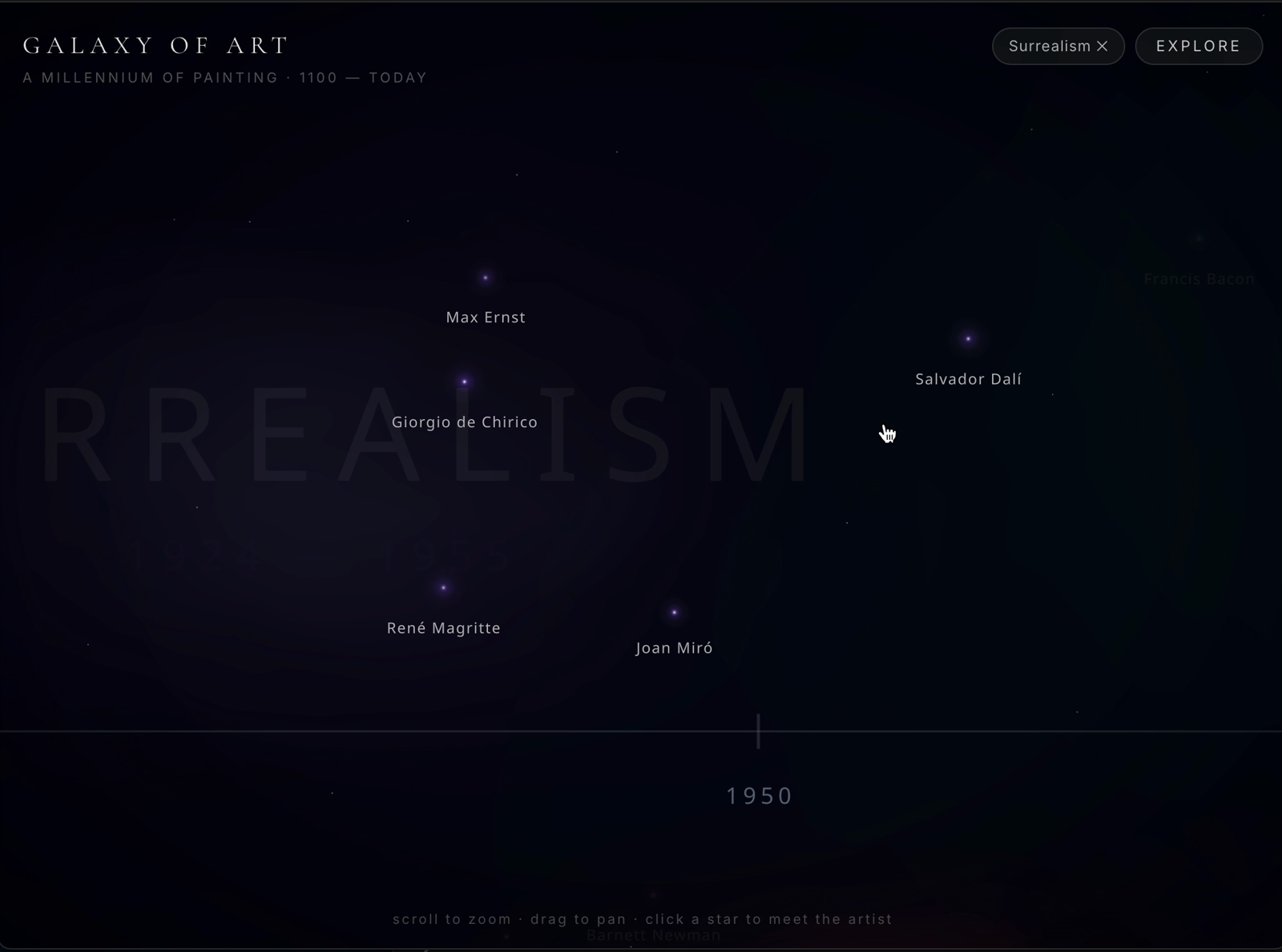
The homepage is an orthographic React Three Fiber starfield. Sixteen periods of art history — Medieval through Contemporary — are placed as shader nebulae along a real date axis running from 1100 to today.
The first thing you learn building a date axis that spans nine centuries: a linear one is useless. Lay 1100→2026 out evenly and the last 150 years — where most of the artists you've heard of actually lived — get crushed into a sliver. So the axis is piecewise: recent centuries get more world-units per year than medieval ones. The date-spine ticks still show real years, so it reads as honest even though the scale bends underneath. Each artist-star is positioned by the years they actually worked, not some hand-tuned aesthetic placement.
The fun part is semantic zoom. The site only ever shows you the right level of detail for how far in you are:
| You're seeing | When |
|---|---|
| Period nebulae + labels | Zoomed out — ~500+ years across the viewport |
| Crossfade | Around 300–520 years visible |
| Individual artist stars | Zoomed in — labels gone, people resolve |
Scroll to zoom, drag to pan, click a star to meet the artist. No menus, no chrome.
The first-person gallery
Click an artist's star and you get a placard — name, dates, a line of bio — and a door into their own first-person 3D gallery (that's the hero up top). This is WASD + mouse, pointer-locked, like a very calm FPS. Their real paintings hang on the walls under spotlights. Dalí's room has 14 works — Cabaret Scene, Landscape Near Figueras, and so on — each one an actual painting attributed to him, not a generated approximation of "a Dalí."
There's no physics library in here. Wall collisions are hand-rolled AABB clamping: each wall is a box, and on every frame I clamp the camera position out of any box it's trying to walk into. For a static room with axis-aligned walls, a real physics engine would be a lot of dependency for a problem that's four if statements.
Inspecting a painting
Walk up to a canvas, click it, and GSAP glides it up off the wall toward you while a DOM placard slides in from the side — medium, the museum it actually hangs in, and the story behind the work. Esc puts it back on the wall.
Mixing a DOM placard with a WebGL scene is one of those things that sounds messy and is actually the right call — text rendering, scrolling, and copy-paste are things the browser already does perfectly. No reason to reinvent them inside a canvas.
The data is real (this was the whole point)
I have a hard rule: no AI-generated paintings, no AI-written bios, no hallucinated "this hangs in the Louvre." If the museum claims something, a source claims it first. So there's a pipeline, and it goes through Wikipedia, Wikidata, and Wikimedia Commons in fallback order per artist:
- Wikidata SPARQL — query for works where
P170(creator) is the artist andP31(instance-of) is painting. - English Wikipedia — fall back to the artist's "Category:Paintings by X" category.
- Any Wikidata work with an English Wikipedia article, as a last resort.
Stories come from Wikipedia's REST summary extracts. Medium and museum location come from Wikidata claims. Any artist who turns up with fewer than 8 paintings gets dropped at write time — a gallery with three things on the wall isn't a gallery.
One gotcha worth saving someone an evening: Wikimedia's Special:FilePath image URLs redirect through a chain that carries no CORS headers, so WebGL texture loads fail silently — while a plain <img> tag works fine, which makes it maddening to diagnose. The pipeline rewrites every URL to a direct upload.wikimedia.org thumbnail as a mandatory post-step.
What fought back
Every project has a section like this. This one had more than its share, because WebGL fails quietly.
- drei
<Text>must live inside<Suspense>inside the Canvas. Otherwise the whole scene suspends forever waiting on the font — the canvas mounts, zero frames render, and there is no error anywhere. I stared at a black square for a while on this one. - You get ≤16 texture units per shader. Every shadow-casting light adds a shadow map to every lit material's shader. My 14 shadow spotlights blew straight past the limit. Fix: alternate
castShadowso only ~7 lights cast (≤7 maps), then setgl.shadowMap.autoUpdate = falseafter 90 frames. The scene is static, so I get soft shadows baked once and then free forever. - R3F
onClickfires after drags too. Pan the galaxy, release, and it counts as a click on whatever's under the cursor. Guard withif (e.delta > 6) return— if the pointer moved more than 6px, it was a drag. @react-three/postprocessingv3 + three 0.184 rendered the entire scene black with, again, no error. I removed it entirely and did the nebula glow with additive sprites instead. Looks better and ships smaller.
The pattern across all four: WebGL almost never throws. It just renders nothing, or renders black, and leaves you to figure out which of a hundred things is wrong. You learn to suspect your own assumptions before your code.
Go fly around in it
It's at art.carlfung.dev — scroll to zoom out to the full sweep of art history, find a star that looks interesting, and go stand in someone's gallery. The Dalí room is a good first stop. Built with Next.js 16, React Three Fiber, GSAP, and Neon Postgres, with a checked-in JSON fallback so it never goes dark.