Two 3D Toys for the Browser: A Travel Globe and a Spiral Photo Gallery
Two 3D Toys for the Browser: A Travel Globe and a Spiral Photo Gallery
Most of my projects exist to do a job — track receipts, control the house, ship code from a phone. These two don't. They exist because I had a pile of photos and wanted a more interesting way to look at them than a grid.
They're separate builds with no shared codebase, but they share a sensibility: a small, static, browser-only 3D thing that takes a personal archive and makes it something you explore by hand instead of scroll past. No backend, no database, no login. One is Field Atlas, a globe pinned with every place Rachel and I have actually been. The other is a spiral gallery of my street and fashion photography that you scroll through in 3D. Both run as plain static sites on Vercel, and both lean on the same two libraries — WebGL via Three.js, and GSAP for the motion.
Field Atlas — a globe made of places we've been
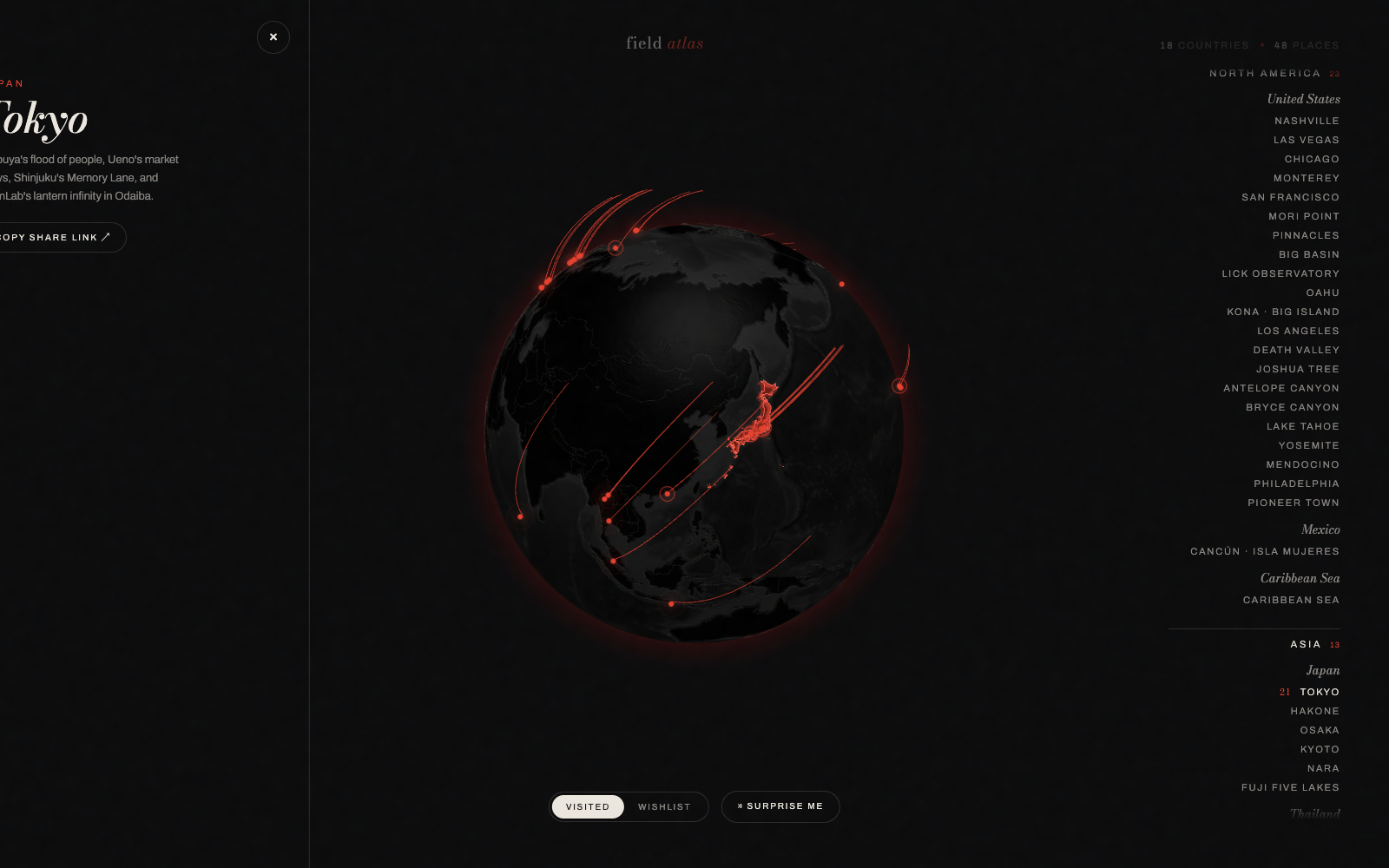
The header reads field atlas · 18 countries · 49 places, and that count is the whole point: every pin is somewhere we physically went, pulled straight from the photo archive. It's not a wishlist dressed up as a map (though there is a wishlist — more on that). It's a record.
It's built on globe.gl, which is a friendly wrapper over Three.js — you hand it a list of coordinates and it renders a draggable, spinnable Earth without you having to think about camera matrices or shaders. Spin the globe, click a city, and a side panel slides open with a short written description and a photo from that trip. The Tokyo entry, for example: "Shibuya's flood of people, Ueno's market alleys, Shinjuku's Memory Lane, and teamLab's lantern infinity in Odaiba." Short, specific, written like I'd actually tell you about it — not a Wikipedia blurb.
A few things make it feel less like a static map and more like a tool:
- A VISITED / WISHLIST toggle, so the same globe shows either where we've been or where we want to go next.
- A region index down the right side, grouped by continent — Asia, Mexico, Caribbean, and so on. Click any entry and the camera flies to it.
- Hash deep-links, so
/#tokyodrops you straight onto Tokyo with its panel open. Handy for sharing a single place.
The camera flights are GSAP. globe.gl gives you imperative control over the point of view, and GSAP tweens it smoothly from wherever you are to wherever you clicked — a quick arc across the planet instead of an instant jump-cut. It's a small detail that does a lot of the "this feels nice" work.
My favorite piece is the Surprise Me button. It picks a random place, flies the globe there, and opens the panel — pure serendipity, no input required. It's turned into the way I actually use the site: hit the button, get reminded of a trip I'd half-forgotten, look at the photo.
The whole thing is static. The places, descriptions, and photos are data baked into the build; there's no API call when you click a pin. That keeps it fast and means it'll keep working untouched for years, which is what I want from something that's essentially a personal map I'll add to slowly.
The spiral gallery — photography you scroll through in 3D
The second site is the editorial cousin. It's a portfolio for my photography — street and fashion shots from a handful of trips — but I didn't want a grid of thumbnails. I wanted the photos arranged in a spiral you scroll down through, floating in 3D space.
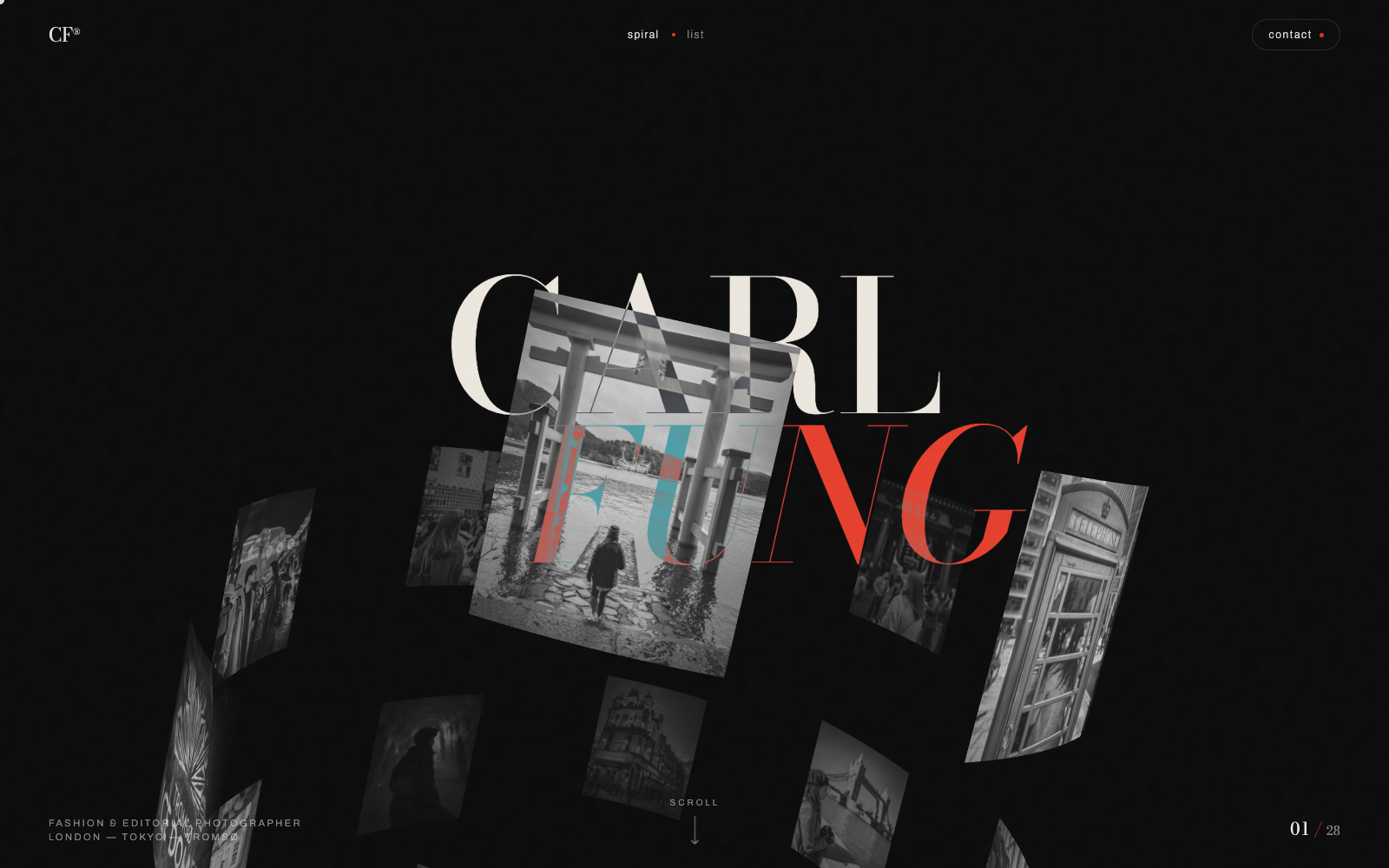
This one is Three.js directly rather than a wrapper, because the layout is custom: each photo is a plane positioned along a spiral, and scroll position drives where you are along it. It opens on a big typographic CARL FUNG hero with the photos floating behind the type, and a preloader that counts up while the images load — the count is honest, it's actually waiting on the textures.
The detail I'm happiest with: every frame starts in greyscale and fades to full color on hover. It makes the spiral feel like a contact sheet you're bringing to life one shot at a time, and it hides the fact that not every photo is a banger — in monochrome they all read as part of one body of work, and the good ones reward a hover.
GSAP drives the scroll choreography here too — the spiral rotates and drifts as you go, with a bit of momentum and parallax so it feels weighted rather than snapping frame to frame. Each shot carries its own caption: "Vermilion — Hakone," "Ice Flute — Tromsø," "Lantern Forest — Odaiba." And because a 3D spiral isn't always what you want, there's a spiral / list view toggle for when you'd rather just see the photos flat. The footer signs off as it should: "Fashion & editorial photographer · London — Tokyo — Tromsø."
Why I keep building these
Neither of these will ever land on a resume bullet. They don't scale, they don't have users, they solve no problem anyone asked me to solve. But they're the projects I send people first.
Part of it is that WebGL is genuinely fun once you stop being scared of it — globe.gl and a little GSAP get you 80% of the way to something that feels expensive, with none of the infrastructure. And part of it is that a personal archive deserves better than a grid. A globe you can spin and a spiral you can fall down through both ask you to do something, and that small act of exploring is what makes the photos stick.
If you want to poke at them: the globe is at map.carlfung.dev (try Surprise Me), and the spiral gallery is at photo.carlfung.dev (hover everything). Two static sites, no backend, built mostly for the pleasure of it.