Turning WhatsApp Business chats into AI-powered analytics
The problem
Every team I've ever talked to that runs WhatsApp Business has the same blind spot: they have years of customer conversations sitting in the WhatsApp Business app, and zero visibility into what's actually in there.
- Who's drifting?
- Who's about to churn but hasn't churned yet?
- Which support agent has the longest reply latency?
- What's the sentiment of conversations with our top accounts trending?
- What topics come up most in customer questions?
None of that is in the WhatsApp Business UI. And uploading the chats to a cloud analytics tool is a non-starter for almost everyone (compliance, privacy, contract clauses).
So I built a local-only dashboard.
The architecture
lharries WhatsApp bridge ships an MCP server that mirrors your WhatsApp account into a local SQLite database. It runs as a LaunchAgent on the Mac, paired once via QR code, and it just stays alive.
The viewer is a Next.js 16 dashboard that points at that SQLite file read-only, surfaces it as a browsable archive, and layers AI analyzers on top.
Nothing leaves the machine. The DB is local. The viewer is local (localhost:8081). The only thing that goes to the cloud is the LLM call for AI insights — and even those are scoped to the specific question being asked, not the whole archive.
The AI insight pages
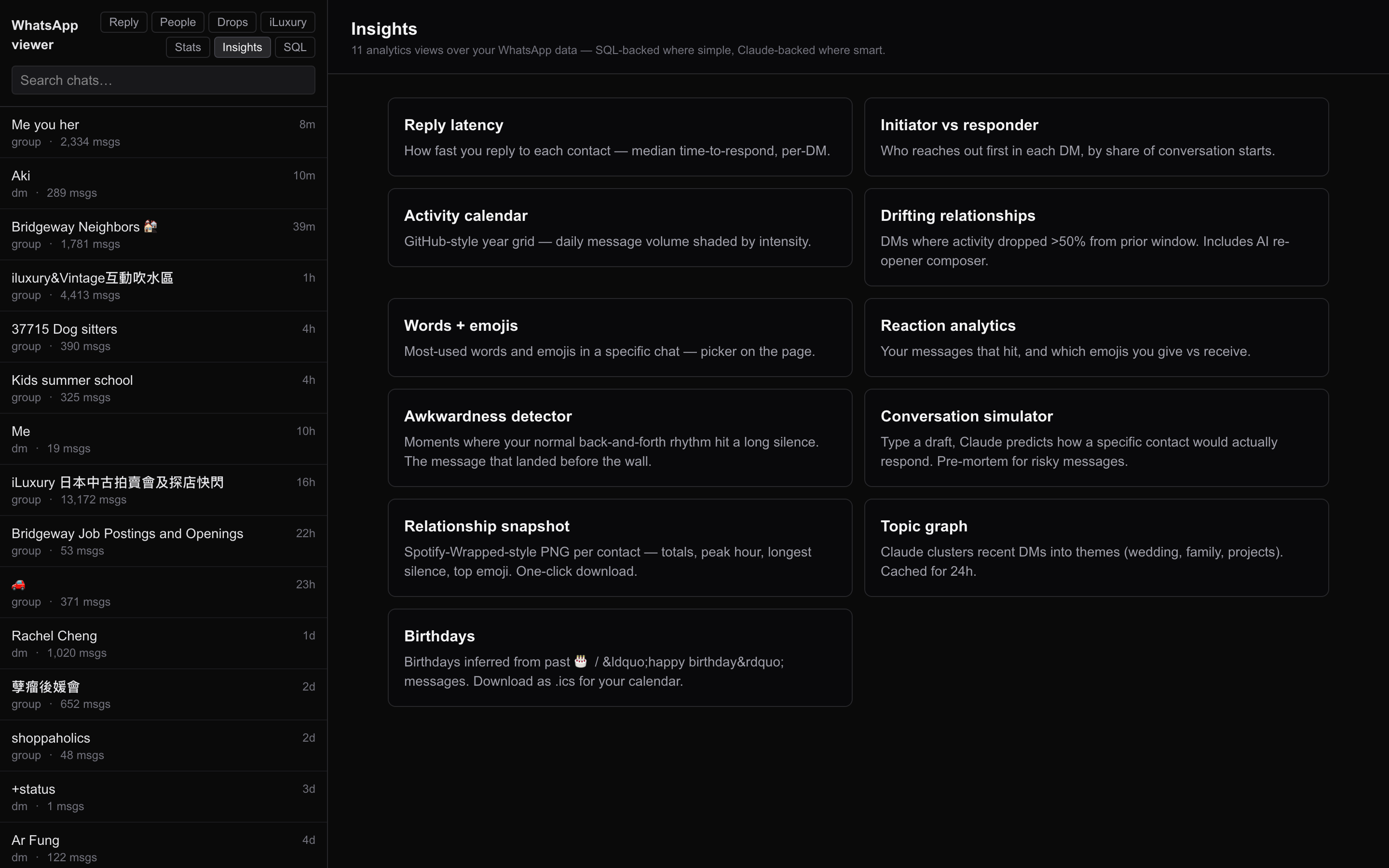
A whole suite of analyzers, each on its own page:
| Insight | What it answers |
|---|---|
| Snapshot | High-level health metrics per chat (volume, sentiment, reply latency) |
| Topics | Clustered conversation themes per contact |
| Sentiment trends | Emotional arc of each relationship over time |
| Awkward | Gaps, dropped threads, unanswered questions |
| Drifting | Relationships losing momentum |
| Reply latency | Who responds fast / slow to whom |
| Initiator | Who reaches out first, how often |
| Reactions | Emoji reaction patterns |
| Birthdays / Calendar | Auto-extracted dates and events (exportable as .ics) |
SQL pad
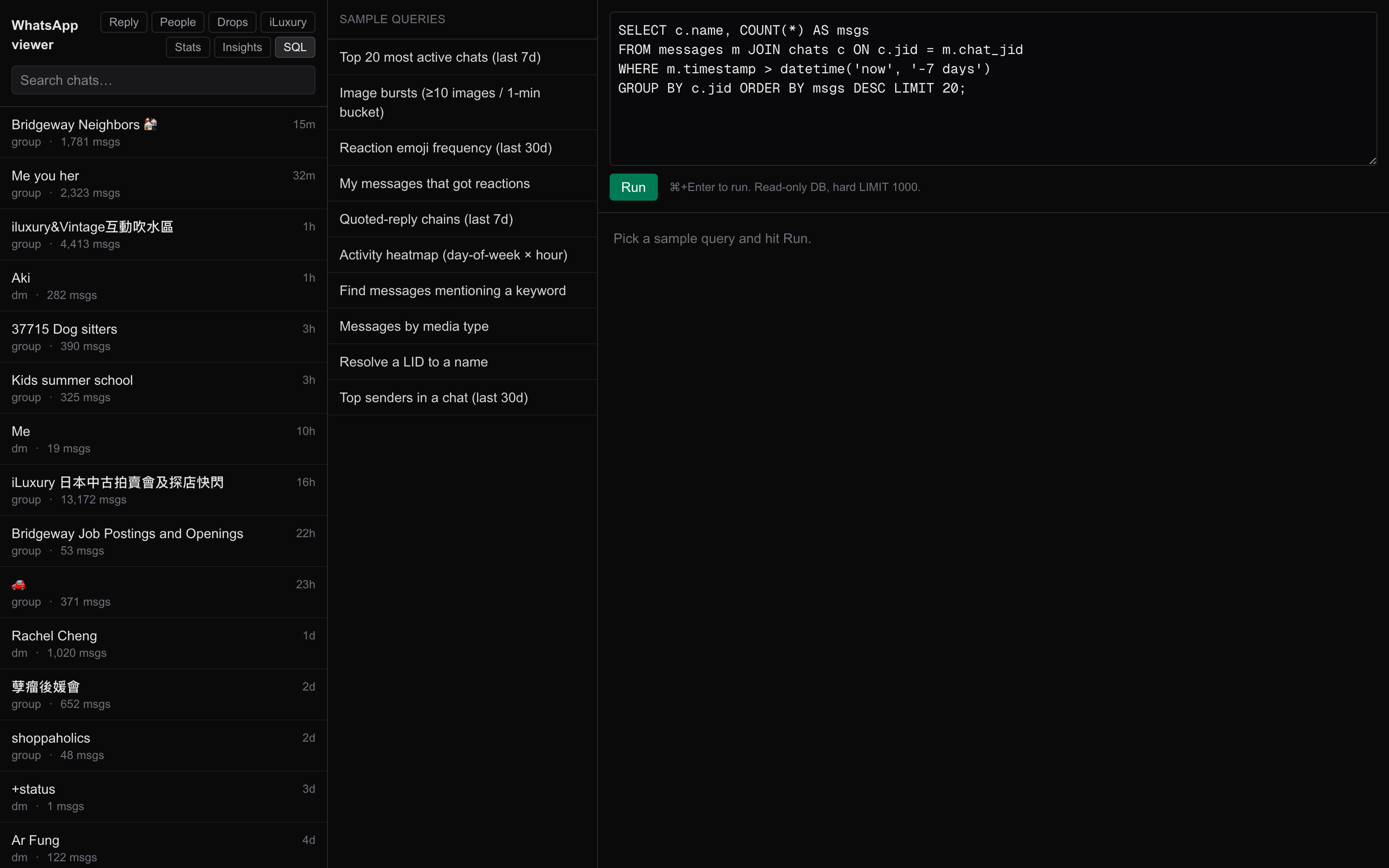
A read-only SQL editor against the bridge schema for ad-hoc questions. Useful when an insight page doesn't quite answer what I want, or when I'm debugging an analyzer.
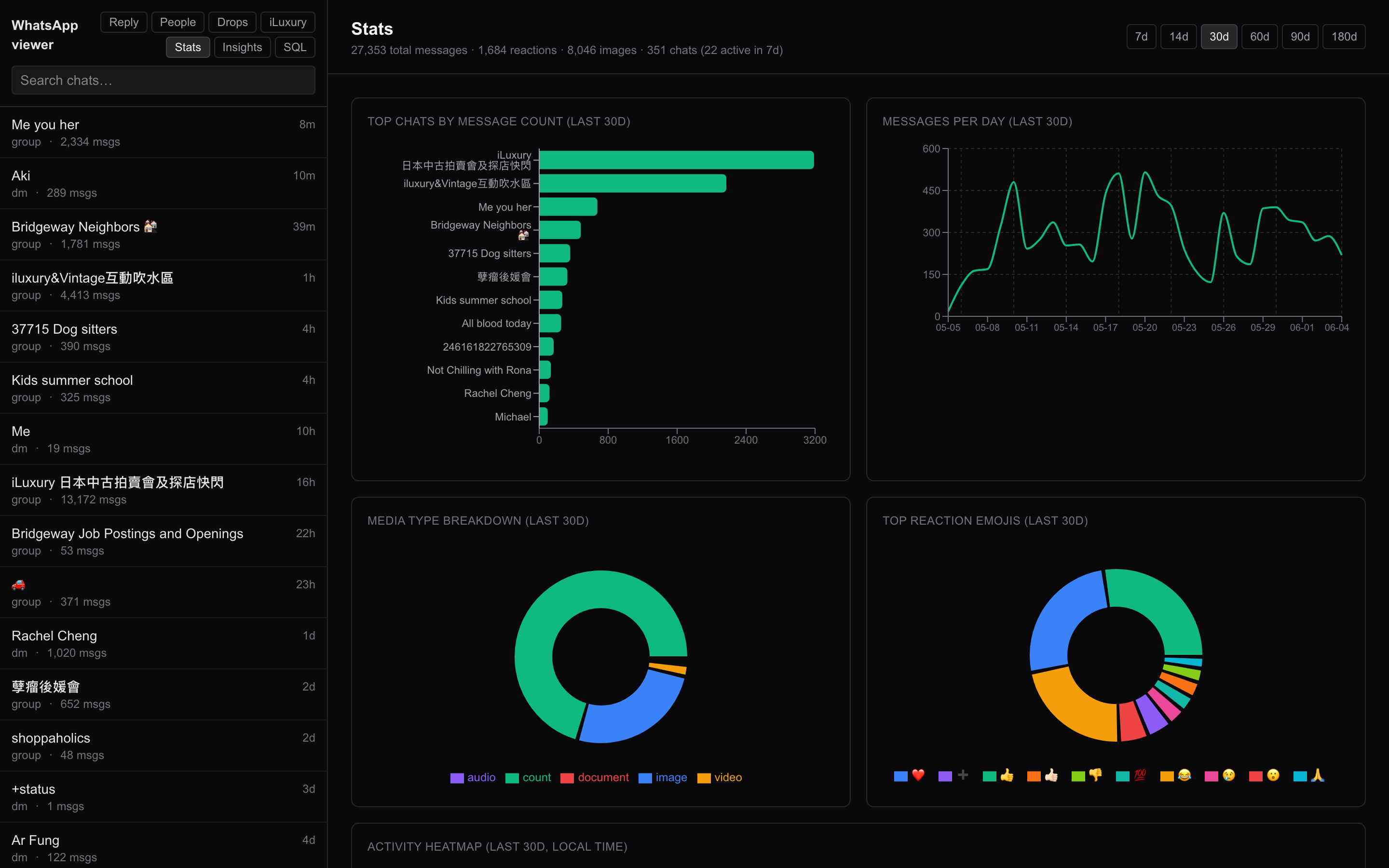
Stats
Pure numbers — message volume by day/hour, top contacts by message count, media share, length distributions. No content needed.
Per-business verticals: the /iluxury tab
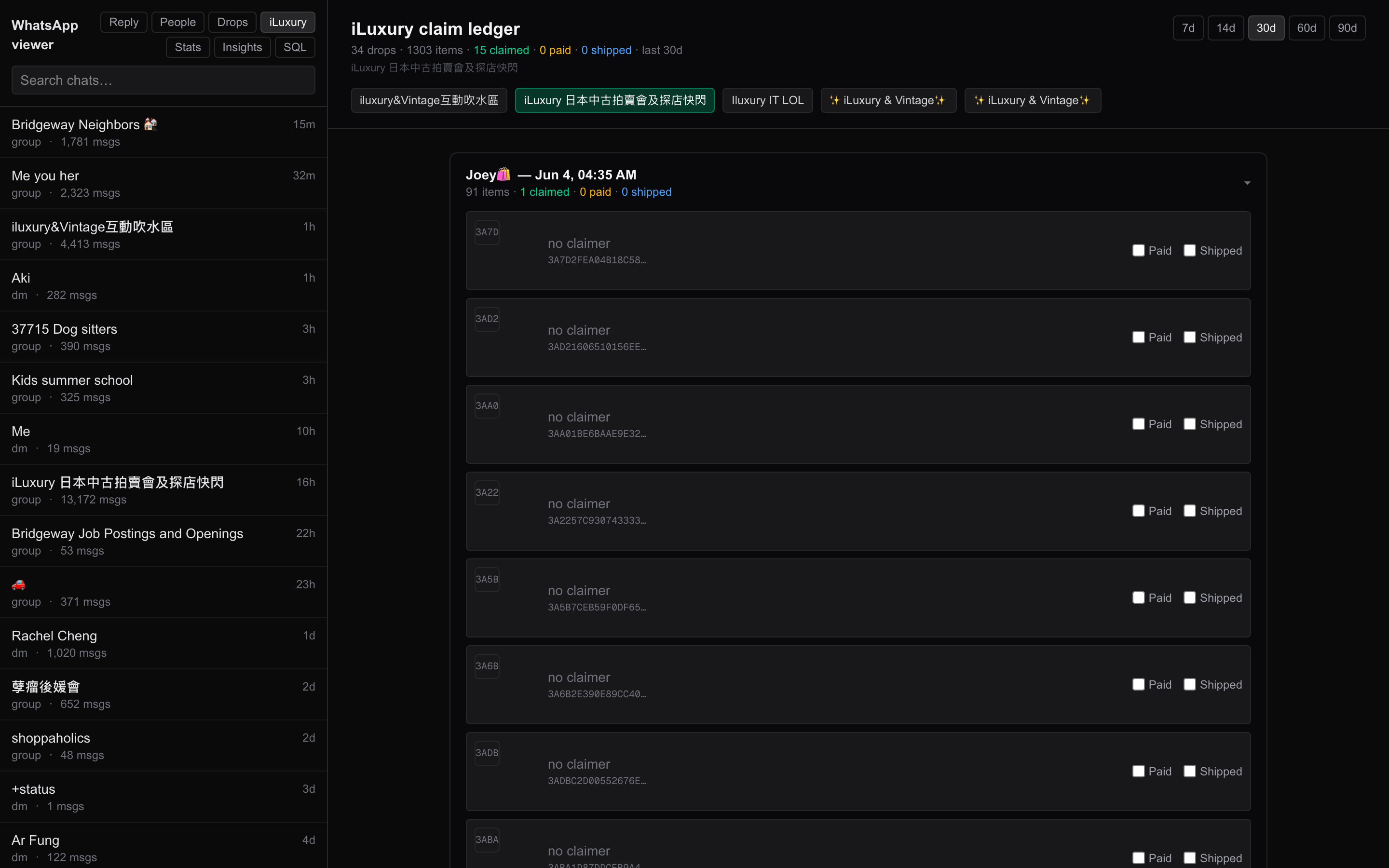
This is the part that actually unlocks business use cases. The /iluxury tab is a project-specific dashboard tracking the conversations tied to the iLuxury AI Platform — sales pipeline view, claim tracking, response times against luxury resale leads.
The viewer doesn't care what the business is. /iluxury is just one example of a vertical dashboard that filters/aggregates the same underlying message corpus through a domain lens. Other verticals — /support, /sales, /recruiting — would be the same shape: pick a contact set, pick metrics, pick a layout.
Why business teams should care
If you run customer ops on WhatsApp Business:
- CX analytics — sentiment trends, response-time SLAs, conversation health, all without exporting a single message
- Sales pipeline visibility — who's drifting before they say
unsubscribe - Support audits — message volume, latency by agent, escalation patterns
- AI-assisted reply composition — given the contact's actual conversational style, draft a reply that fits their tone
And it all runs on-prem on a Mac. No cloud, no Vercel, no third-party SaaS handling your customer messages.
Stack
- Next.js 16 App Router
- libSQL adapter (read-only against the lharries bridge SQLite)
- Tailwind CSS 4
- LLM calls for the AI insight pages (model-agnostic — I run Claude Sonnet locally via the Anthropic API)
- LaunchAgent keeping the dev server alive 24/7 on
localhost:8081
Source
github.com/carlfung1003/whatsapp-viewer
(Local-only by design — there's no deployed URL. Clone, point at your bridge DB, run npm run dev.)