WhatsApp AI Analytics
Local Next.js dashboard turning the lharries WhatsApp bridge SQLite into AI-powered conversation insights — sentiment trends, message stats, and chat analytics for business use cases
Scroll to orbit the conversations
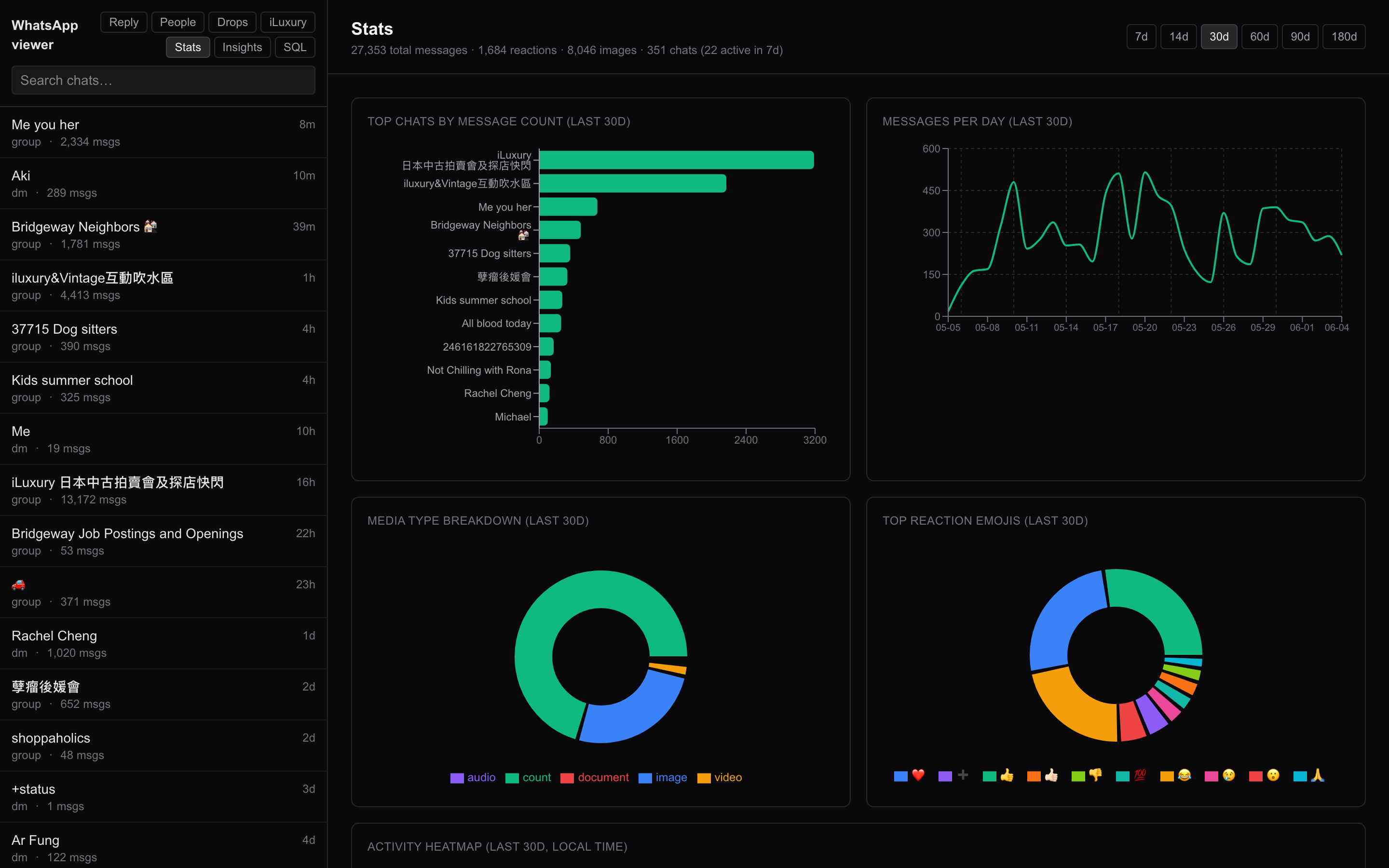
What it is
A local-only Next.js dashboard that reads the lharries WhatsApp bridge SQLite database directly and turns it into a browsable, searchable, AI-augmented archive — purpose-built for teams who need to understand their customer conversations at scale.
Runs entirely on-device. The bridge DB lives on the Mac, the viewer reads it read-only, and nothing ever leaves the machine.
What you can do with it
AI-powered conversation insights
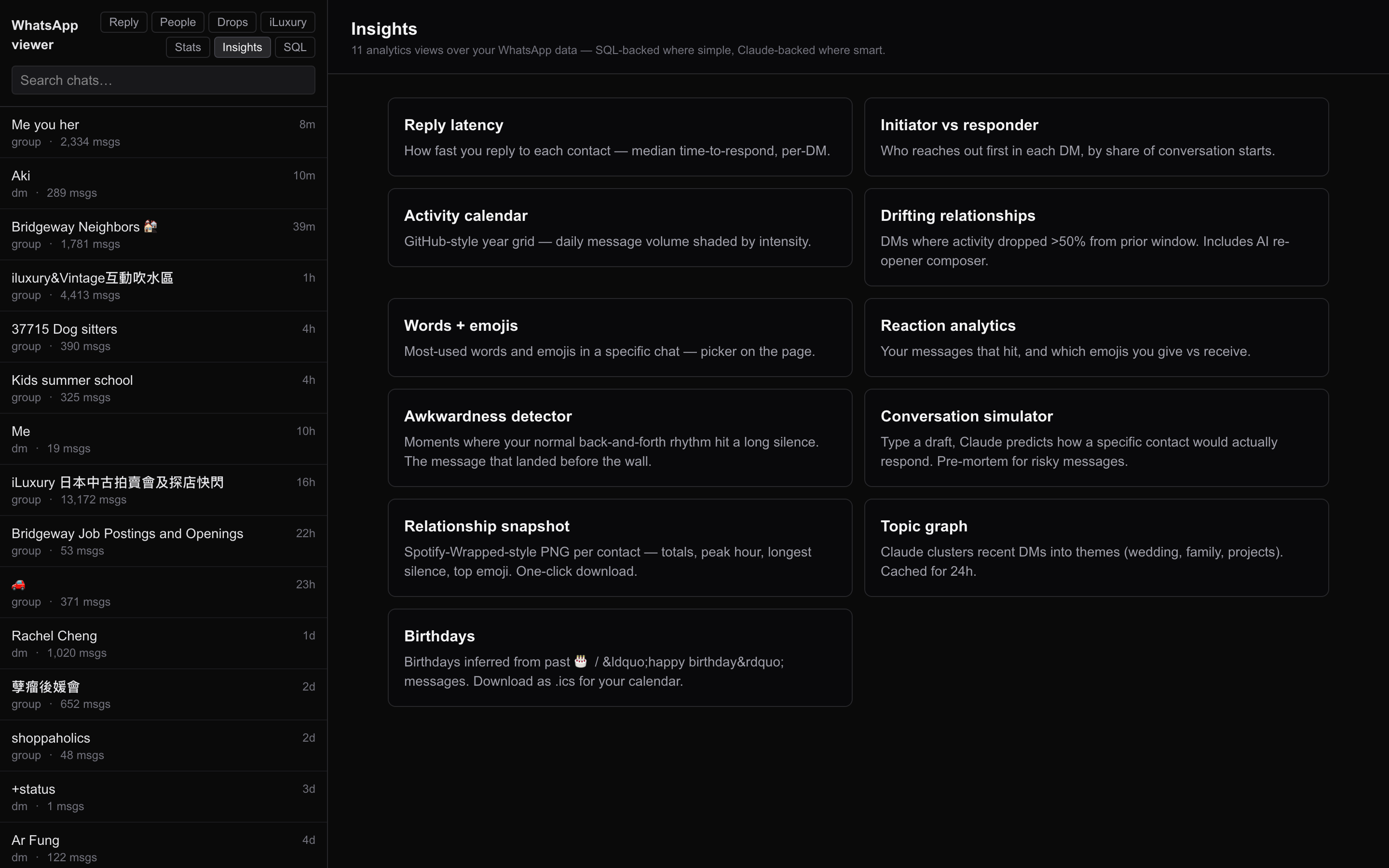
A whole suite of analyzers running over the message corpus:
- Snapshot — high-level health metrics per chat (volume, sentiment, reply latency)
- Topics — clustered conversation themes per contact
- Sentiment trends — emotional arc of each relationship over time
- Awkward — gaps in conversation, dropped threads, unanswered questions
- Drifting — relationships losing momentum
- Reply latency — who responds fast / slow to whom
- Initiator — who reaches out first, how often
- Reactions — emoji reaction patterns
- Birthdays / Calendar — auto-extracted dates and events
- Simulator —
what would they reply to this draft?using their actual conversational pattern
Raw stats
Message volume by day/hour, top contacts by message count, media share, length distributions — purely numerical, no content needed.
SQL query interface
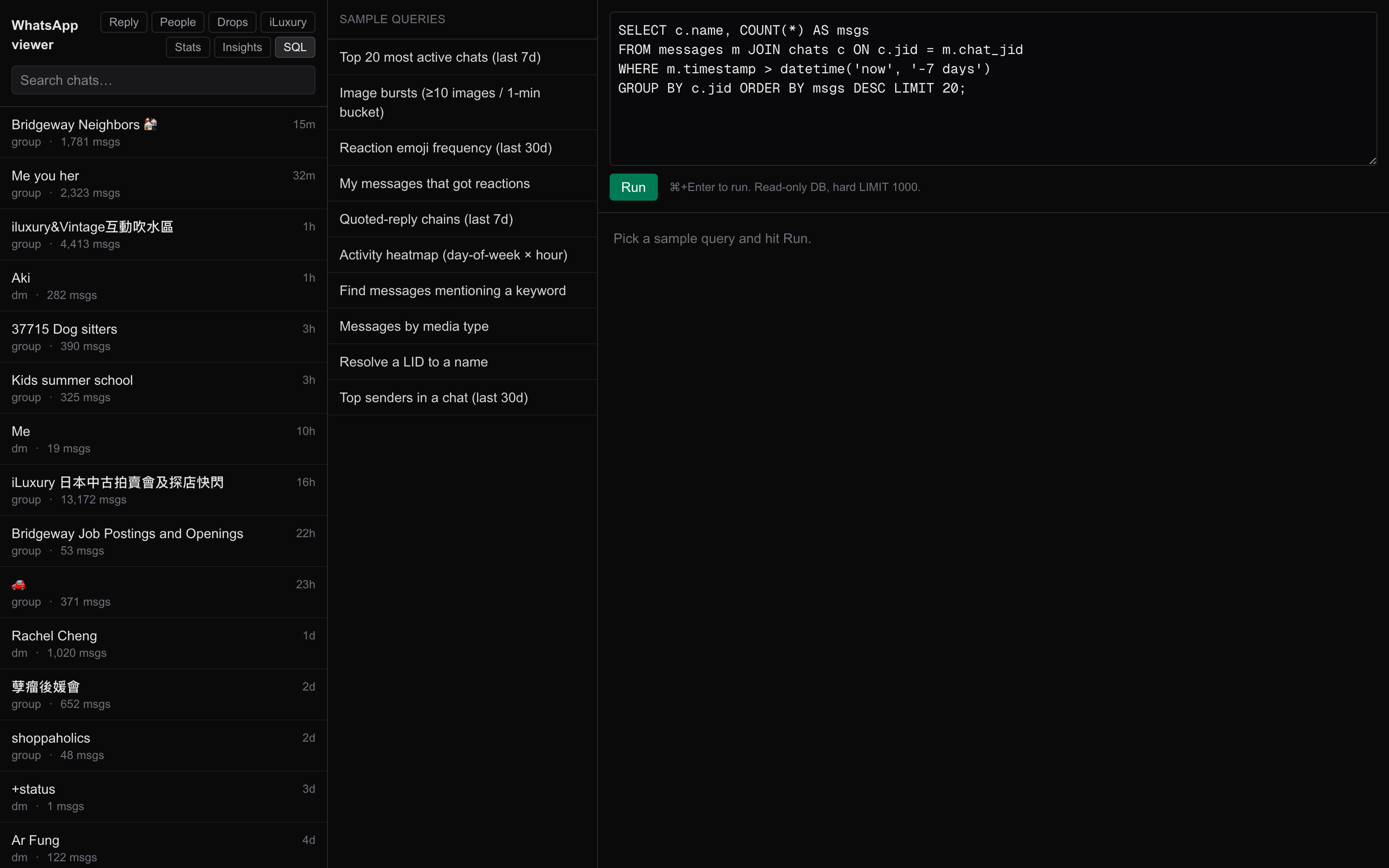
A read-only SQL pad against the bridge schema for ad-hoc questions. Schema autocomplete, history, exportable results.
iLuxury business dashboard
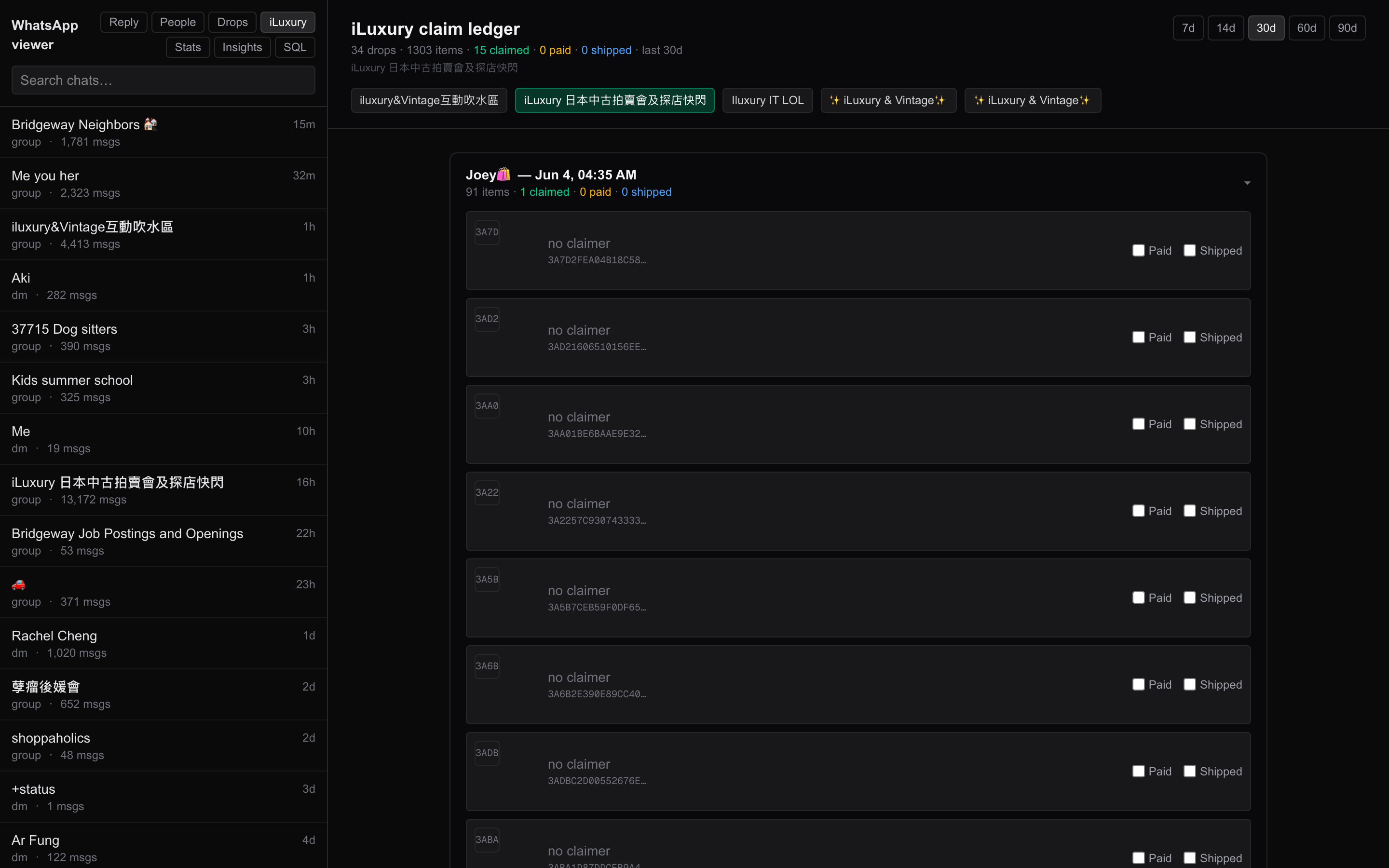
A project-specific tab tracking the conversations tied to the iLuxury AI Platform — sales pipeline view, claim tracking, response times against luxury resale leads. The viewer doesn't care what the business is; this is just one of many possible business-vertical dashboards you could bolt on top of the message archive.
Why it matters for business
Most teams sitting on WhatsApp Business conversations have no visibility into the actual conversation patterns. This dashboard turns the raw SQLite into:
- Customer experience analytics — sentiment trends, response-time SLAs, conversation health
- Sales pipeline visibility — who's drifting, who's hot, who's awkward
- Support team audits — message volume, who handles what, latency by agent
- AI-assisted reply composition — given the contact's actual conversational style, draft a reply that fits
And because it runs entirely local, customer conversations never leave your machine — no cloud, no Vercel, no third-party services. Compliance-friendly by default.
Stack
Next.js 16 App Router · libSQL adapter (read-only against the lharries bridge SQLite) · Tailwind CSS 4 · LLM calls for AI insights · runs on localhost:8081 with a LaunchAgent keeping it alive 24/7.